
Mukul Kankran Logo Mukul Kankran

Mukul Kankran

I design experiences that move.

UI / UX Designer Motion Designer Front-End Developer Creative Technologist Brand Designer
Scroll Down

Projects

Restaurant Web App
02

Family of Eateries

Animated interactive infographic experience that transforms how customers engage with restaurant menus and ordering systems.

UI/UX DesignPrototypeGSAP
Beats Studio Buds Product Demo
03

Beats Studio Buds +

A 60-second product motion graphic combining 3D animation and kinetic typography

Motion Design3D Pipeline
Maldives Motion Infographic
04

The Maldives — Motion Infographic

A 45-second broadcast-ready motion infographic for a luxury travel destination

Motion DesignData Viz
Digital Signage System
05

Digital Signage System

A real-time data-driven display board deployed live for Durham College

UI DesignDevelopment
Collaborative Project
06

Collaborative Work

A team-built program website for Durham College's Web Development program

UX ResearchTeam Work
Mustang Ridge Brand Book
07

Mustang Ridge — Brand Book & Marketing

Complete brand identity system and marketing materials for an outdoor lifestyle brand

BrandingMotion Design
Retail Installation
08

Retail Installation

A three-station interactive retail installation for Mustang Ridge Outdoors

Multi-platformInteractive
View Full Project
RoleUI/UX Designer & Developer Timeline3 Weeks Year2025

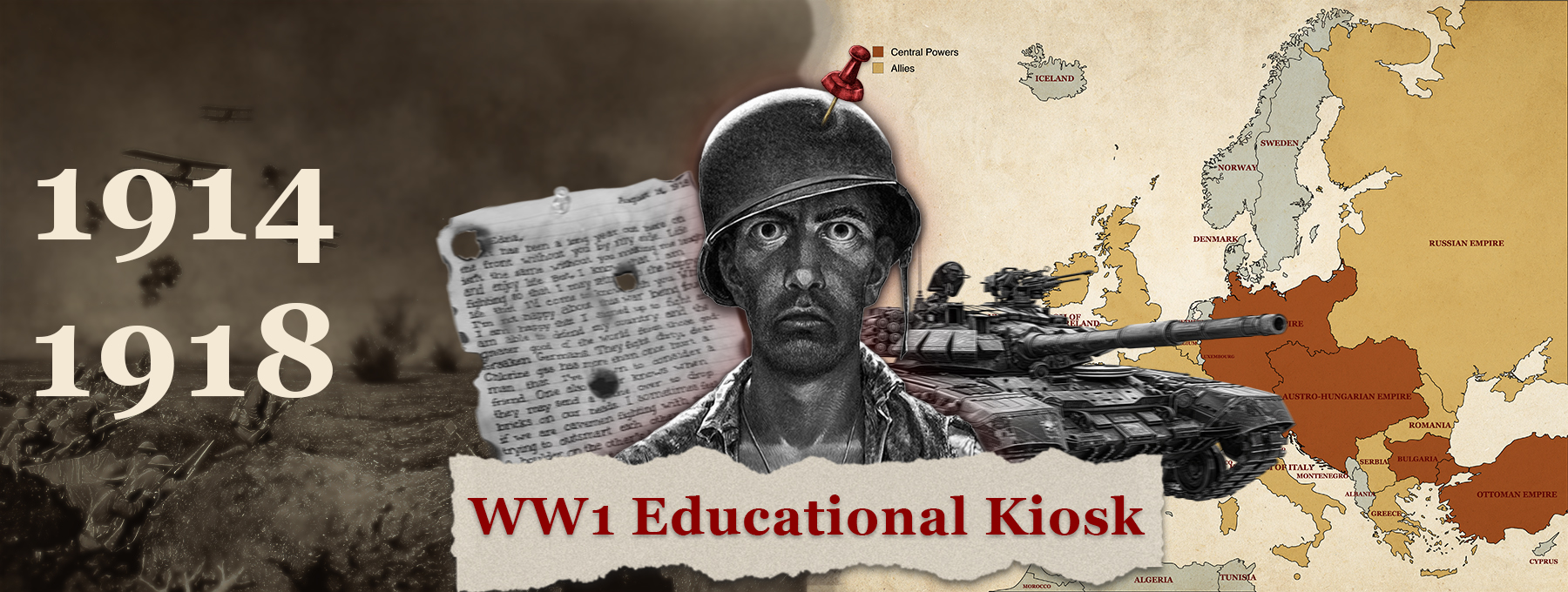
WW1 Educational Kiosk

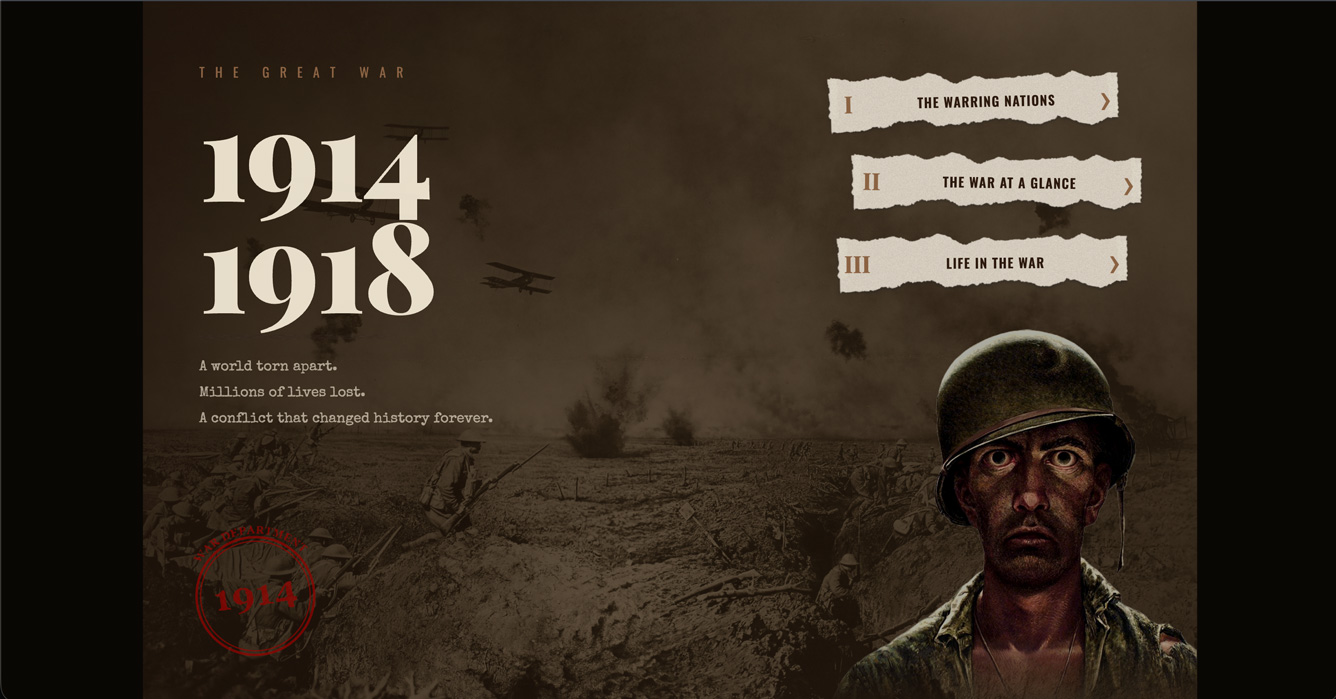
A museum-style touchscreen kiosk that brings World War I to life through an interactive map, animated tank timeline, and archival flip-card archive — built for broad public audiences including children.
Overview

My Role

Sole designer and developer. Every screen, asset, and interaction was conceived and built independently as part of my Interactive Media Design program at Durham College.

Responsibilities

  • Concept development & narrative structure
  • Visual design & vintage UI system
  • Custom asset creation in Photoshop (stamps, torn paper, parchment cards, map pins, dividers)
  • Kiosk UX & touch interaction design
  • Front-end development (HTML, CSS, JavaScript)
  • GSAP animation implementation

Project Background

The Brief

Design and build a touchscreen kiosk for a public educational setting that presents historical content in an engaging, accessible format for all ages.

The Problem

Traditional museum kiosks rely on dense blocks of text that visitors rarely read. The challenge was to make the complex, multi-front story of World War I feel tactile and explorable — without overwhelming the user.

Project Background

Design Process

Establishing a Visual Language

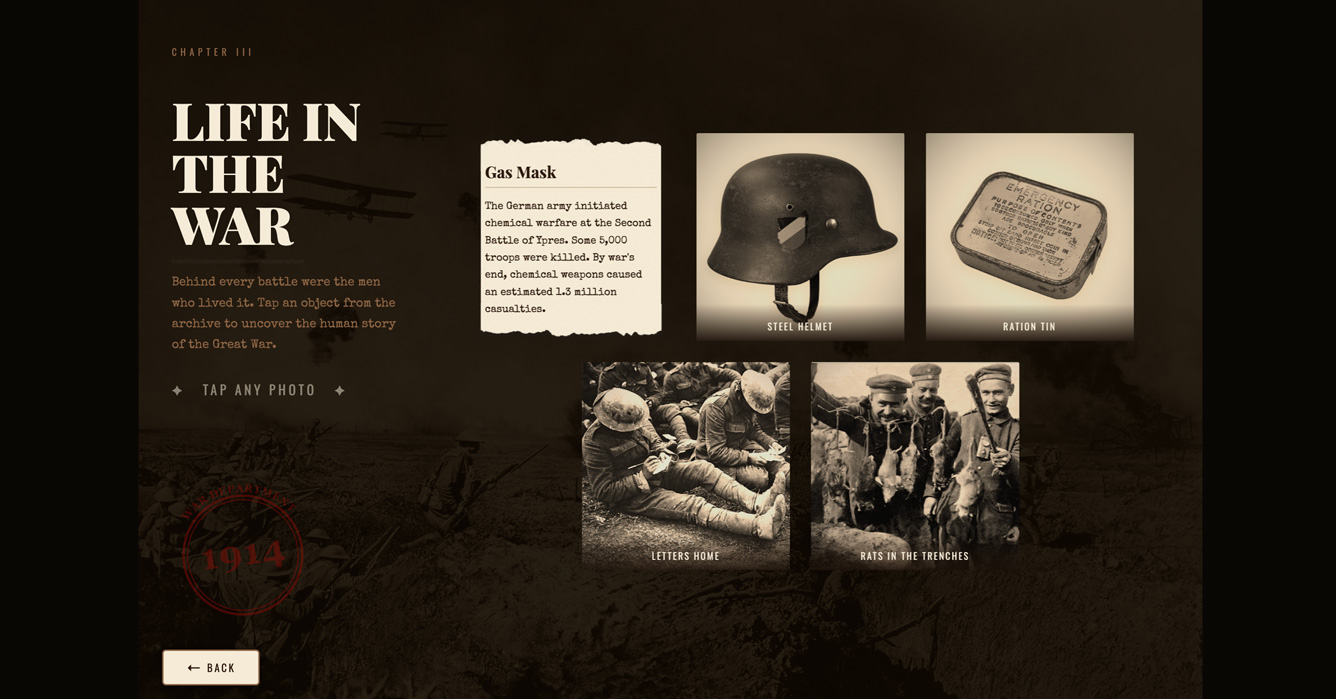
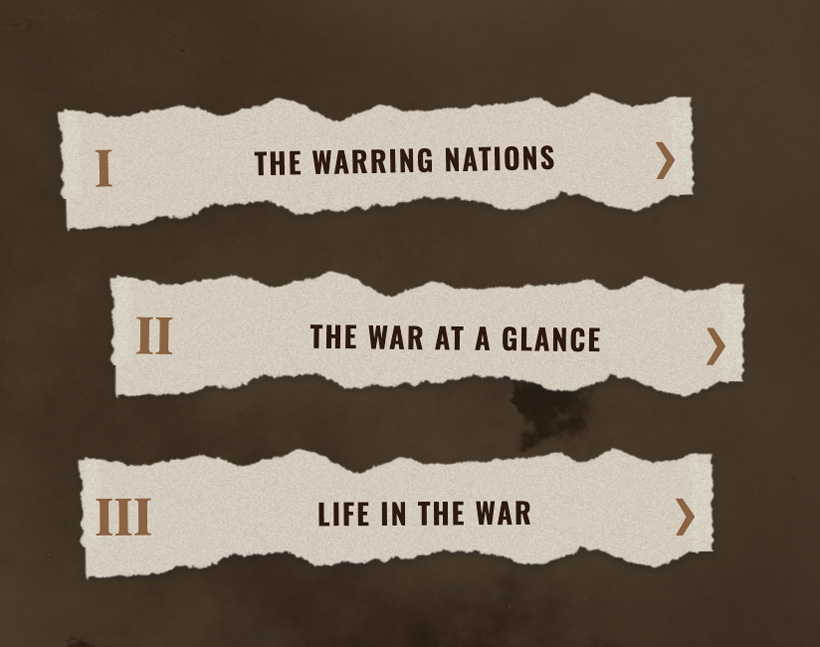
The entire UI is built around a vintage newspaper and parchment aesthetic. Every asset — stamps, torn paper buttons, parchment popup cards, ink dividers — was hand-crafted in Photoshop to reinforce the 1914–1918 period. The interface feels like a historical artefact rather than a modern app.

Visual Language

Vintage asset system — stamps, parchment cards & torn paper buttons

Experience Structure

Three-chapter interaction model

Structuring the Experience

The kiosk is divided into three chapters, each with a distinct interaction model: an interactive map with tappable country pins, a tank-driven horizontal timeline, and a flip-card photo archive. This keeps engagement high across all three sections without repeating the same pattern.

Results & Reflection

What I Built

A fully custom touchscreen kiosk — no templates, no UI frameworks. Three complete interactive screens with GSAP entrance animations, crossfading video on the splash screen, and a consistent vintage design system applied across every element from navigation buttons to popups.

If I Did It Again

I would test with real museum visitors earlier, particularly around map pin placement and flip-card discoverability. I would also explore adding audio narration to deepen the archival atmosphere.

View Full Project

Next Project

02

Family of Eateries

View Full Prototype
RoleUI/UX Designer Timeline4 Weeks Year2025

Family of Eateries

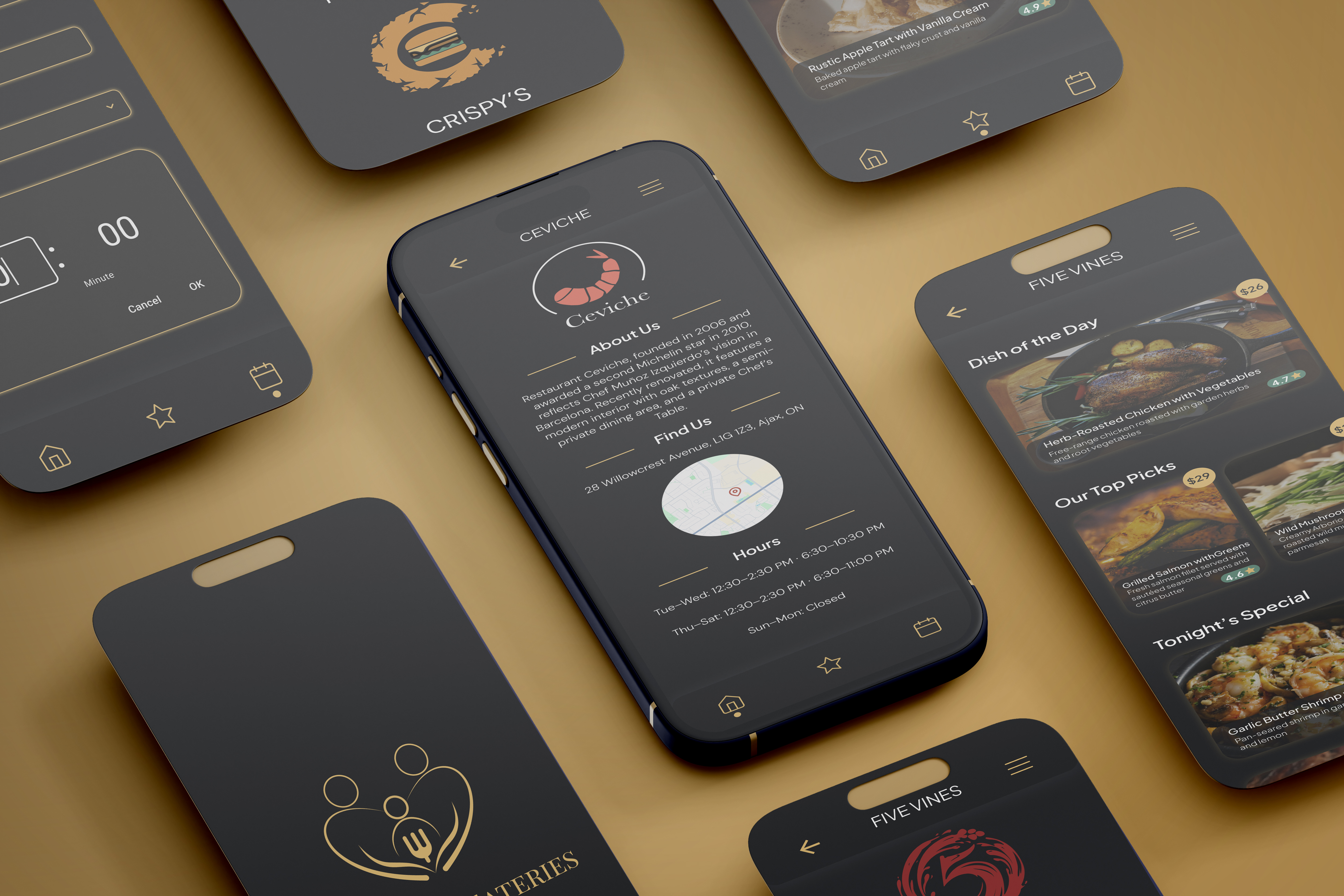
An animated interactive infographic experience that transforms how customers engage with restaurant menus and ordering systems.
Overview

My Role

Sole designer and developer. Completed independently as part of my Interactive Media Design program at Durham College.

Responsibilities

  • Concept development & user flow
  • Wireframing & prototyping
  • Visual design & UI system
  • Front-end development
  • GSAP animation implementation

Project Background

The Brief

Design and build an interactive web app for a service-based business.

The Problem

Most restaurant websites feel static. I wanted to explore whether animation could better reflect a restaurant's personality.

Background

Design Process

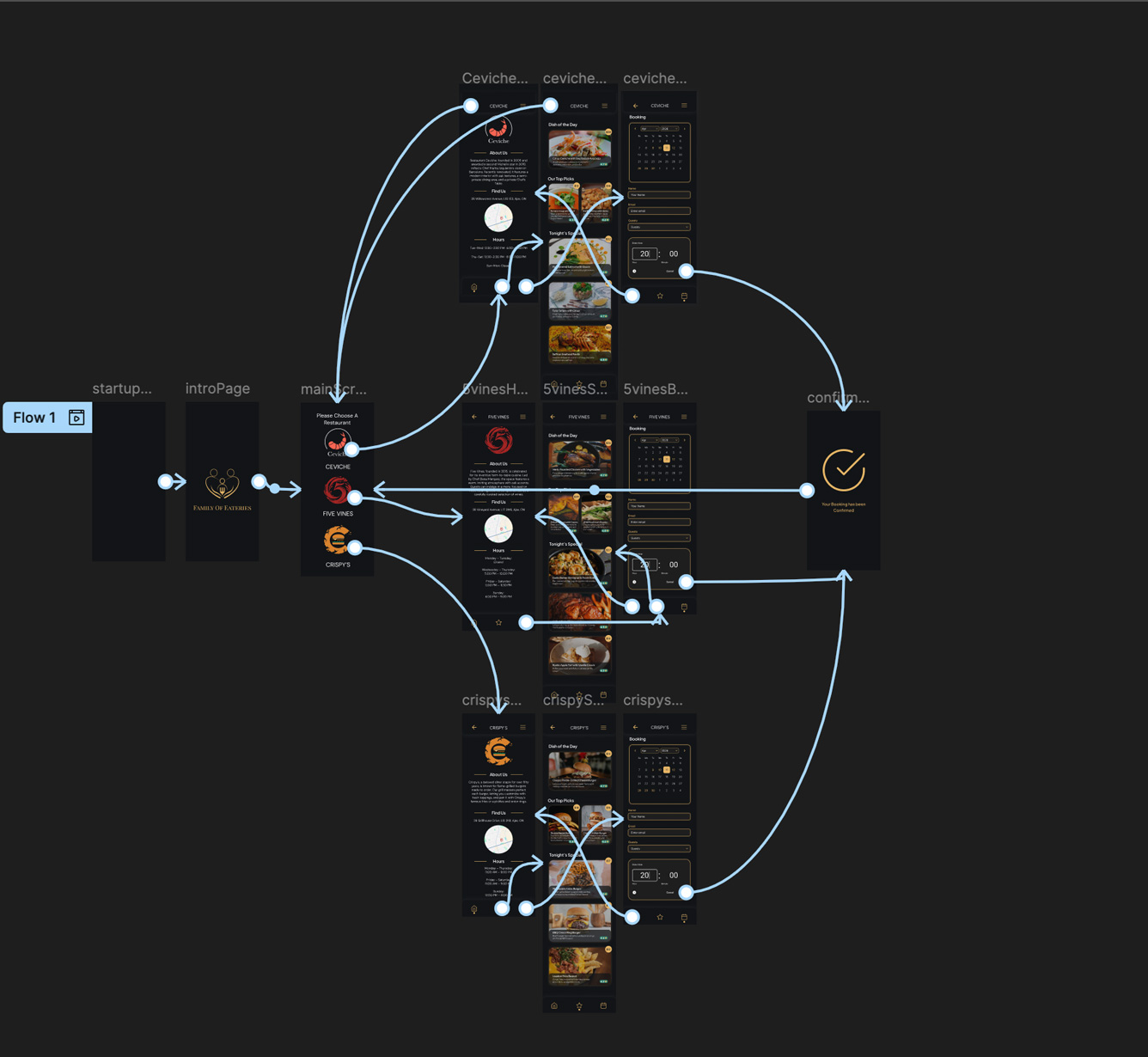
Rethinking Navigation

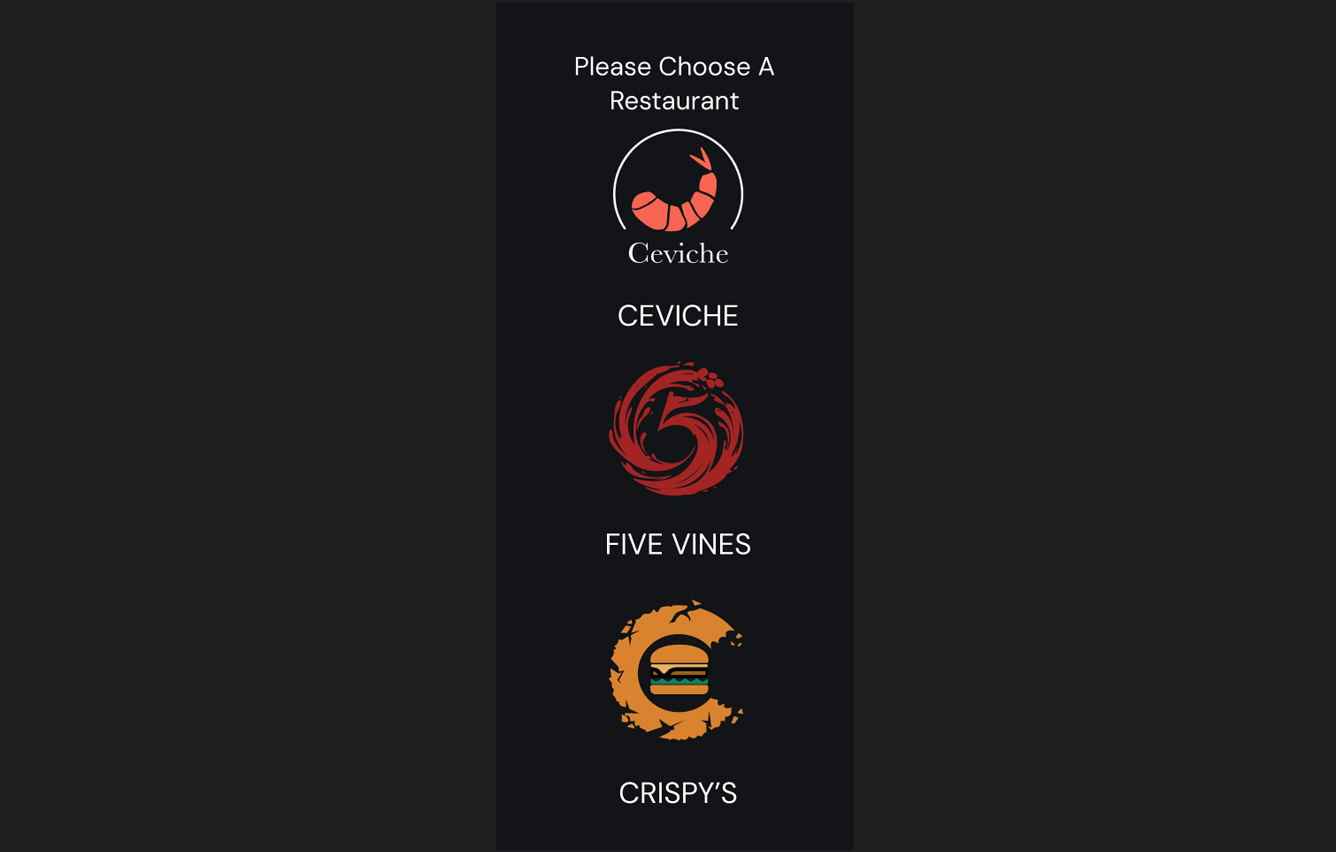
Built a card-swipe model where category browsing happens inline.

Wireframes

Navigation wireframe iterations

Results & Reflection

What I Built

A fully responsive animated web app from scratch — no templates.

If I Did It Again

More structured usability testing and a mobile-first animation approach.

Next Project

03

Beats Studio Buds +

RoleMotion Designer Timeline3 Weeks Year2025

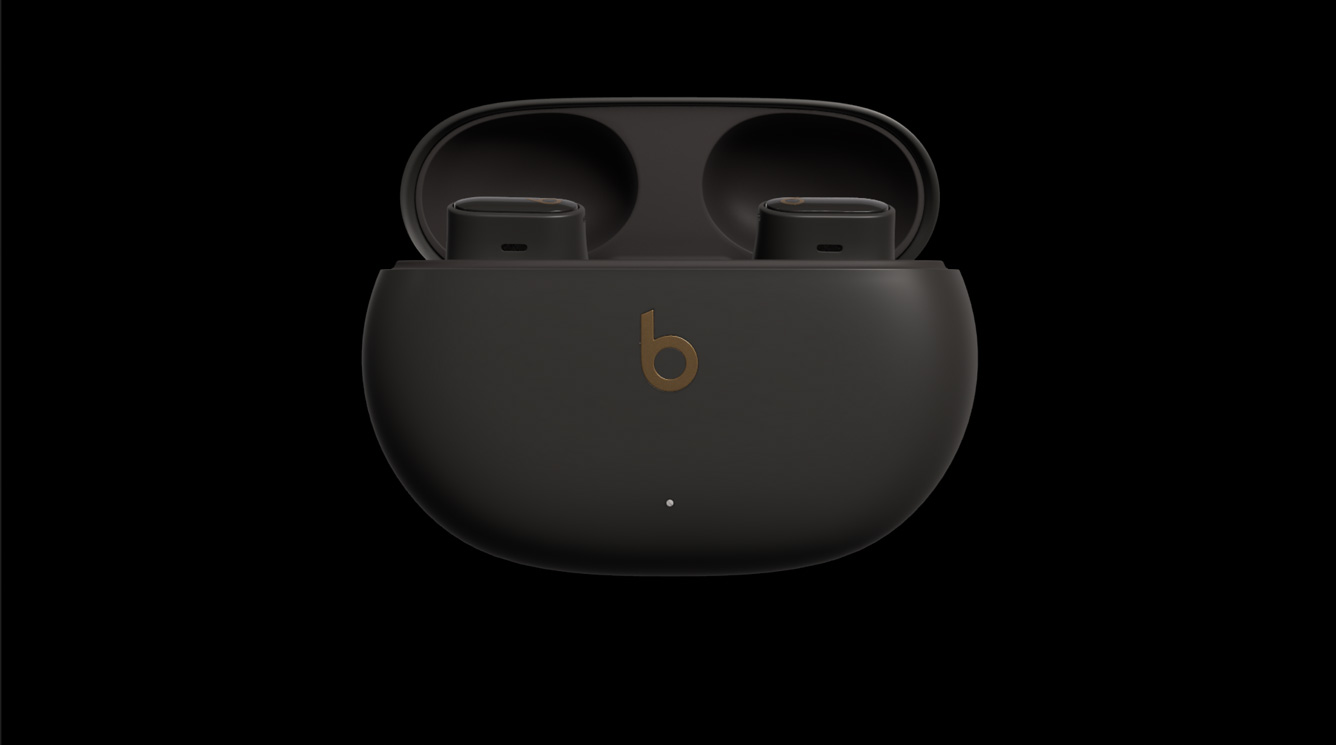
Beats Studio Buds + Product Motion Graphic

A 60-second product showcase for the Beats Studio Buds + — communicating internal engineering upgrades through a premium, tech-forward lens by combining 3D product animation with sleek motion graphics that match the Beats brand identity.

Overview

The Brief

Design and animate a 60-second product motion graphic for the Beats Studio Buds +. The objective was to visually communicate the device's internal engineering upgrades — improved acoustics, enhanced microphones, and extended battery life — through a premium, high-tech aesthetic that matched the established Beats brand identity.

The Challenge

Beyond making invisible technological features like airflow and battery capacity visually engaging, the project presented a significant technical hurdle: the 3D asset pipeline. Working with a pre-existing 3D model, the unified mesh structure meant that animating individual components — opening the lid, removing each earbud independently — was impossible directly in After Effects, which does not read the internal hierarchy of unified 3D models by default.

Skills Demonstrated

  • 3D asset preparation and cross-software pipeline
  • Blender — mesh separation and independent component export
  • After Effects 3D layer reassembly and independent animation
  • Kinetic typography — feature reveals with rhythmic pacing
  • Abstract data visualization — airflow lines, audio waveforms
  • Commercial pacing — 60-second tight edit, tech-forward feel

Tools

Adobe After Effects, Blender.

The Technical Pipeline

The Problem with a Unified Mesh

The 3D model available for the Beats Studio Buds + was a single, unified mesh — the case, lid, and both earbuds were all fused into one object. After Effects treats a unified mesh as a single element with no internal hierarchy, making it impossible to independently animate the lid opening or the earbuds lifting out of the case.

To create the product reveal animation the project required, each component needed to move independently. That meant solving the problem at the 3D stage before ever opening After Effects.

Learning Blender to Solve It

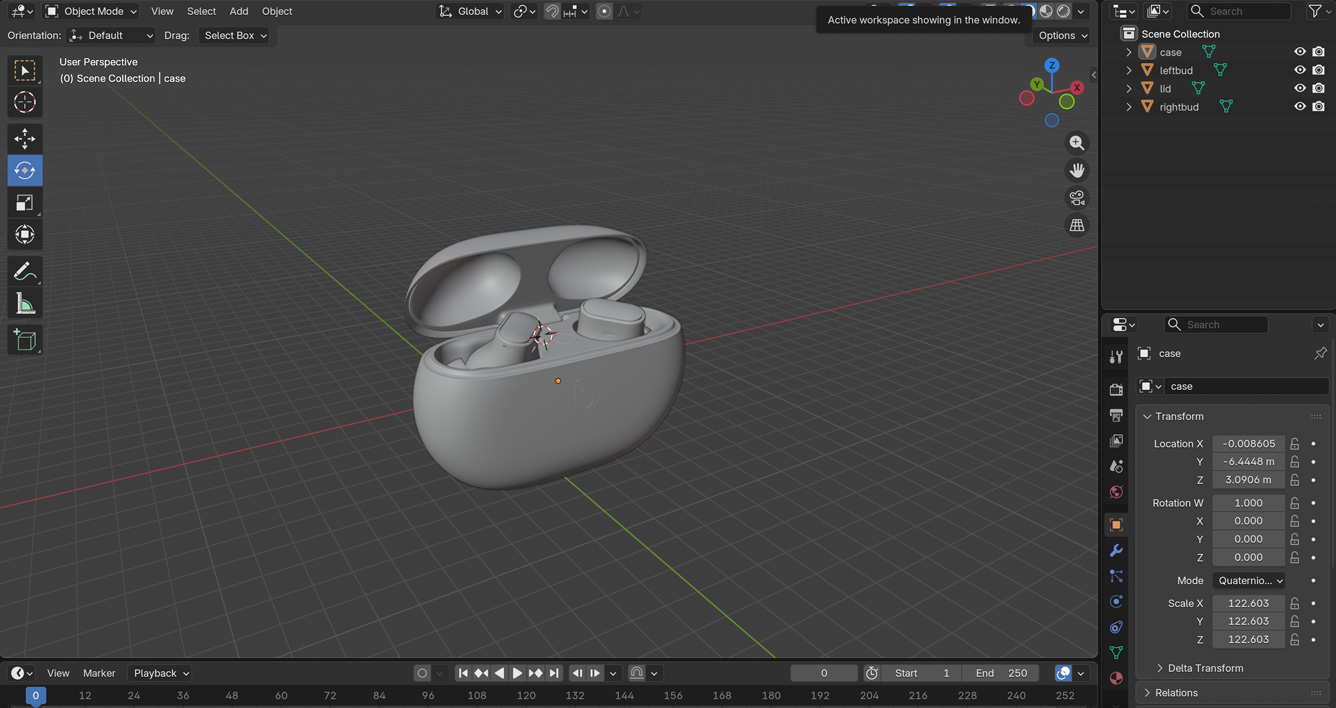
Without prior Blender training, I taught myself just enough of the software to accomplish the specific task: importing the unified mesh, separating it into four distinct objects — the case body, the lid, the left bud, and the right bud — and exporting each as an individual file.

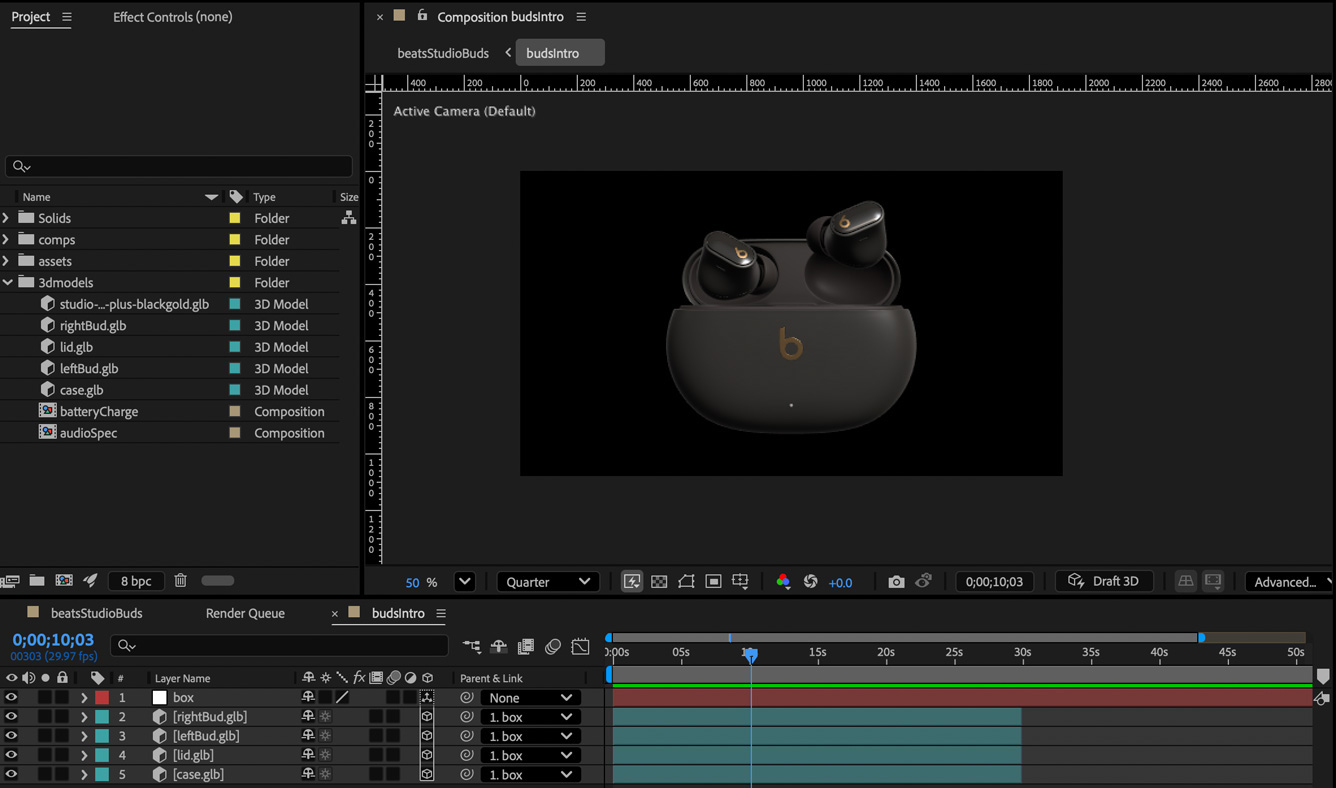
These four components were then meticulously reassembled inside After Effects as independent 3D layers, positioned and aligned to match the original model exactly. From there, each piece could be animated on its own timeline — lid hinge rotation, earbud lift-out, and repositioning — giving the final video the kind of product reveal that feels like a manufacturer's own commercial.

3D Pipeline

Blender — unified mesh separated into four independent components

After Effects reassembly

After Effects — components reassembled as independent 3D layers

Design & Motion Approach

Kinetic Typography

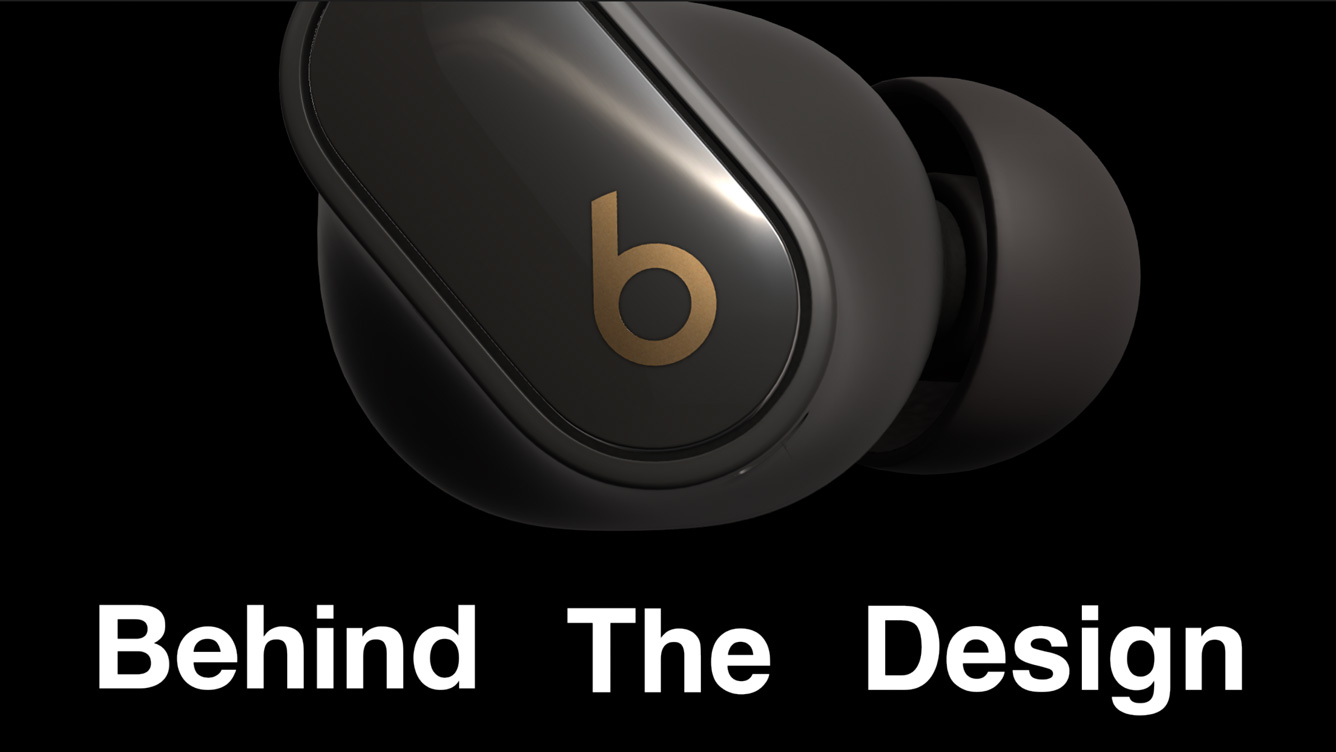
Clean, bold kinetic typography tracks with the product's movements throughout the video — introducing key features like "3 New Vents" and "Behind The Design" with punchy, rhythmic pacing. Every text reveal is timed to land on a product movement or cut, making the typography feel like part of the animation rather than a caption sitting on top of it.

Kinetic Typography

Kinetic typography — feature reveal with product movement

Airflow Visualization

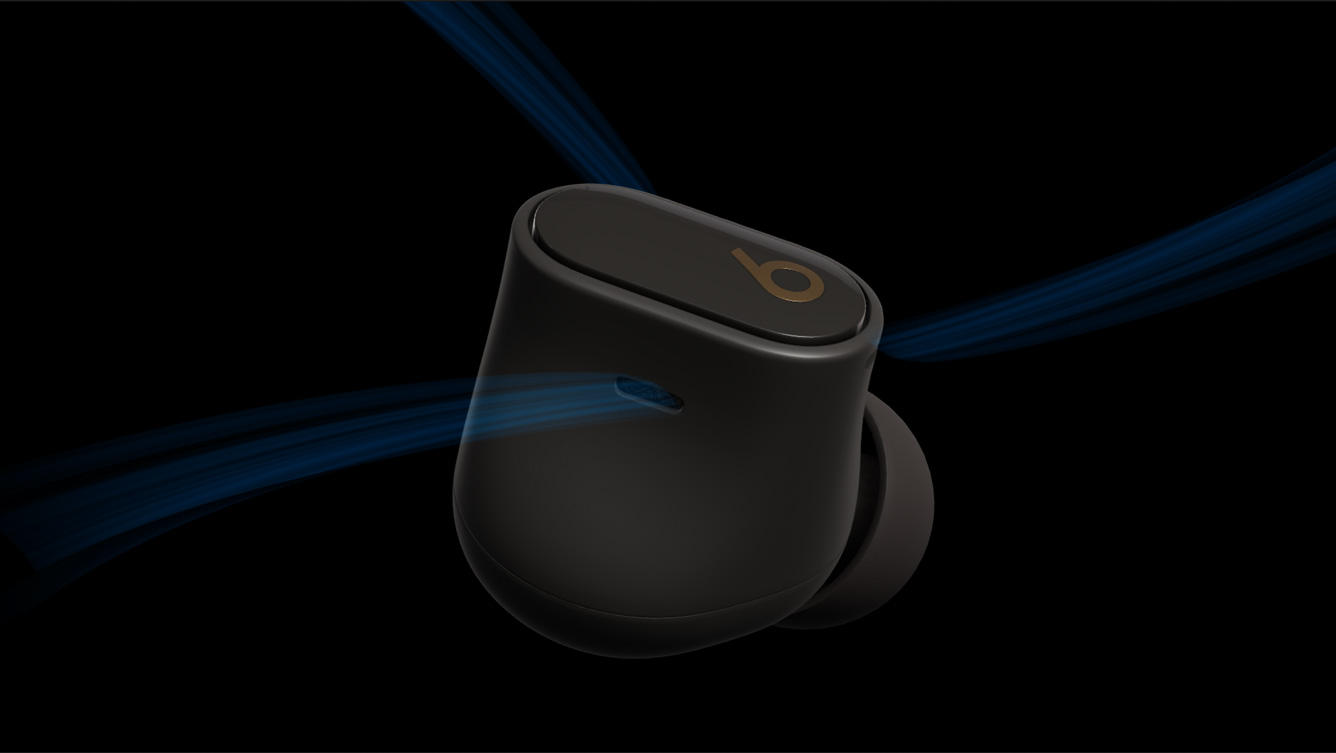
Animated airflow lines — visualizing acoustic engineering

Invisible Tech Visualization

Rather than listing specs as text, custom animated elements were designed to represent the audio engineering visually. Smooth, flowing animated lines illustrate "Better Air Flow" — making an invisible internal feature feel tangible. Dynamic, reactive audio waveforms communicate "2X Clearer Transparency," turning an abstract spec into something the viewer can see responding in real time.

Creative Data Display

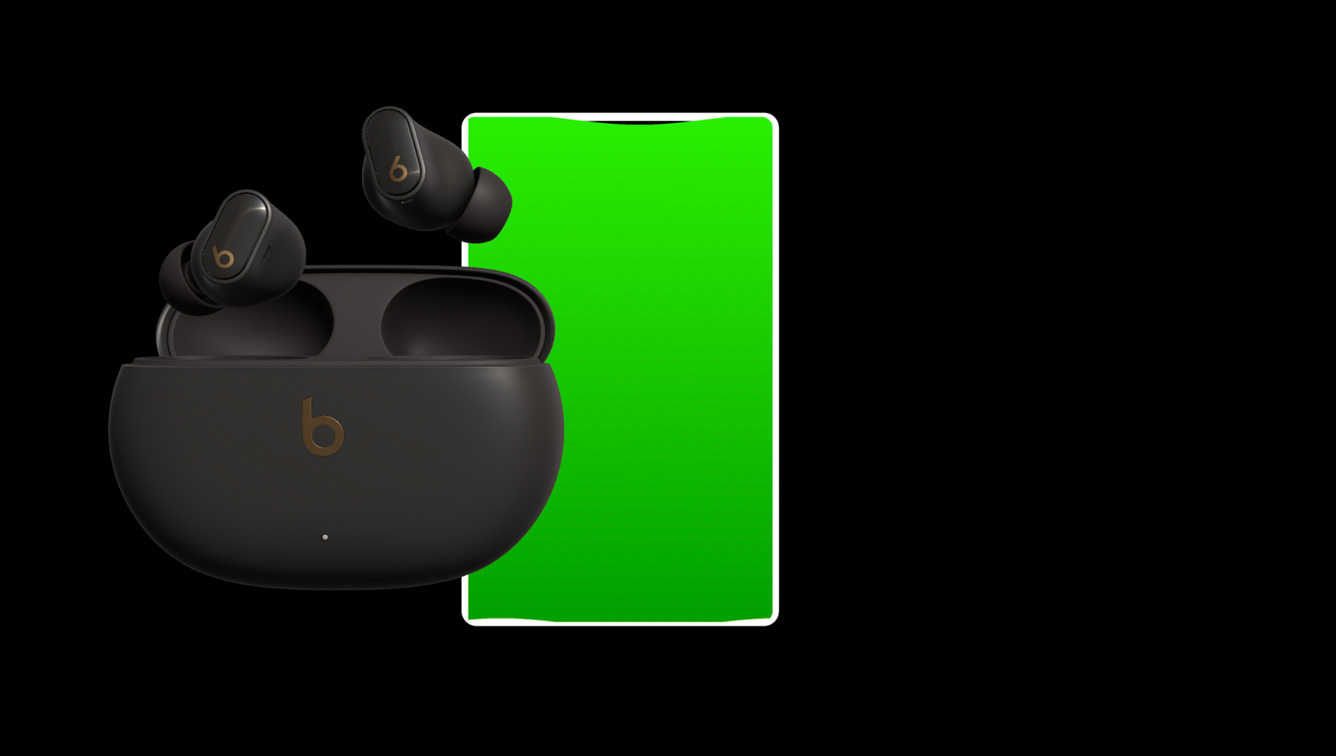
To highlight the "36 Hours of Battery" life, a fluid, screen-filling charge graphic was designed inside a smartphone silhouette — turning a standard number into a satisfying visual payoff. The battery fills across the screen, giving the statistic physical weight and making it memorable rather than just informational.

Battery Life Visualization

36-hour battery visualization — screen-filling charge graphic in smartphone silhouette

Final Deliverable

The completed 60-second product motion graphic for the Beats Studio Buds + — bridging the gap between technical diagram and lifestyle advertisement.

Results & Reflection

What I Made

A modern, punchy 60-second promotional video that successfully communicates the internal upgrades of the Beats Studio Buds + in a way that feels premium and commercially credible. The most significant achievement was developing a cross-software pipeline — learning Blender specifically to solve a technical problem and deliver an animation that would have been impossible to produce otherwise.

The project demonstrates that design resourcefulness matters as much as design skill — identifying the right tool for the right problem, learning it under time pressure, and shipping a result that doesn't show the struggle.

If I Did It Again

Having now worked in Blender for this project, I would go deeper into the software earlier — the mesh separation was done with just enough knowledge to get the job done, but a stronger Blender foundation would have allowed for more sophisticated 3D lighting and rendering directly in Blender before bringing assets into After Effects.

I would also push the audio waveform visualization further — the current version communicates the feature clearly, but there's potential for a more complex, reactive waveform that moves in sync with actual audio playback from the video's soundtrack.

Next Project

04

The Maldives — Motion Infographic

RoleMotion Designer Timeline3 Weeks Year2025

The Maldives — Motion Infographic

A 45-second broadcast-ready motion infographic promoting The Maldives as a luxury travel destination — blending cinematic stock footage, custom data visualizations, and dynamic typography into a premium tourism featurette.

Overview

The Brief

Design and animate a 45-second motion infographic that synthesizes geographical, environmental, and tourism data about The Maldives into a visually compelling narrative. The deliverable had to feel less like a standard data presentation and more like a premium tourism commercial — broadcast-ready and aspirational.

The Challenge

The primary design challenge was integrating hard data — landmass percentages, optimal travel windows, biodiversity statistics — into breathtaking, serene stock footage without disrupting the luxury aesthetic. Traditional, brightly coloured charts would have clashed with the natural beauty of the tropical environment. The pacing also had to be tight enough to deliver all required information within a strict 45-second window while still feeling relaxed and unhurried.

Skills Demonstrated

  • Motion graphics — GSAP-level thinking applied in After Effects
  • Data visualization — translating statistics into elegant visual forms
  • Typography animation — rolling counters, reveals and wipes
  • Cinematic pacing — matching motion to ambient audio rhythm
  • Visual storytelling — sequencing information as a narrative arc
  • Mixed media composition — overlaying graphics on live footage

Tools

Adobe After Effects, Adobe Media Encoder.

Approach & Execution

The Hook — Google Search & Satellite Zoom

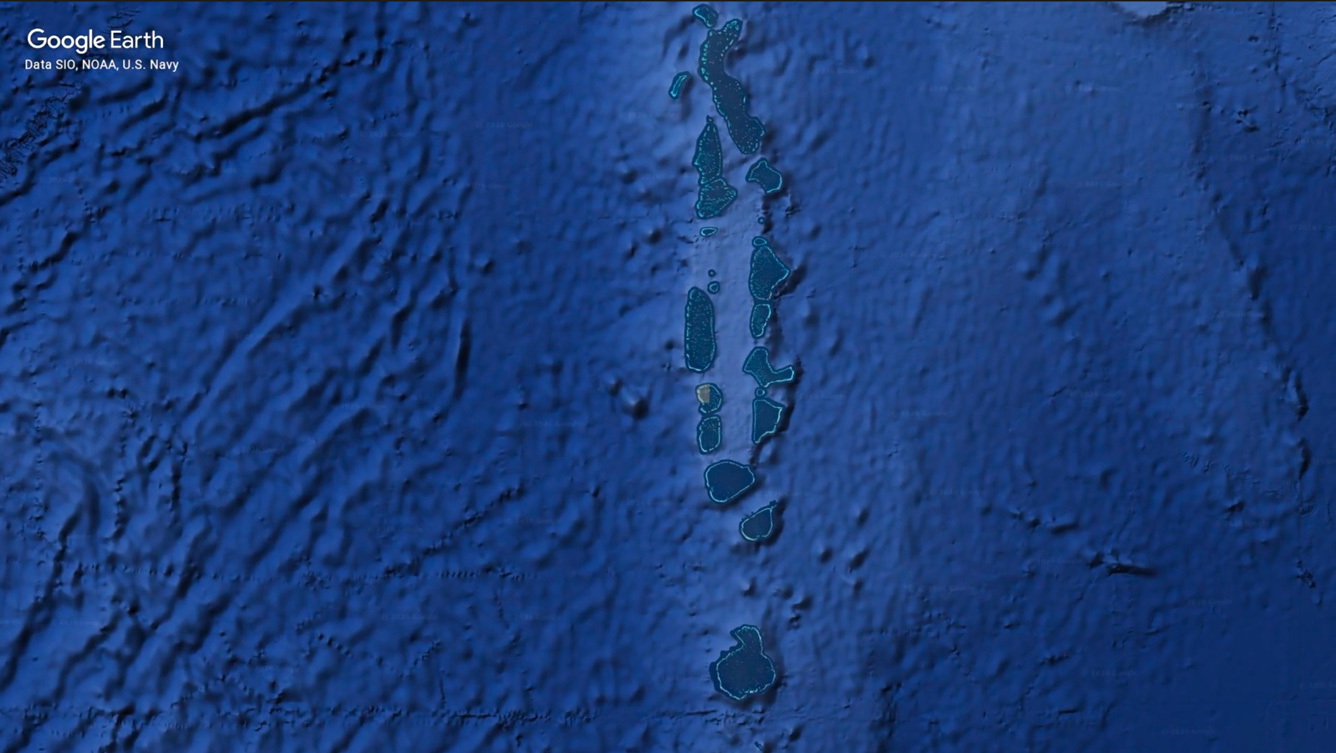
The video opens with a creative Google Search and satellite zoom-in sequence, immediately establishing the destination's exclusivity and geographical isolation before the viewer even sees the archipelago. Anchoring the opening in the Indian Ocean sets the tone — this is remote, rare, and worth the journey. The sequence transitions fluidly into the first footage shot, carrying the viewer from the digital world into the natural one.

Opening Hook Sequence

Opening hook — Google Search and satellite zoom-in sequence

Data Visualization

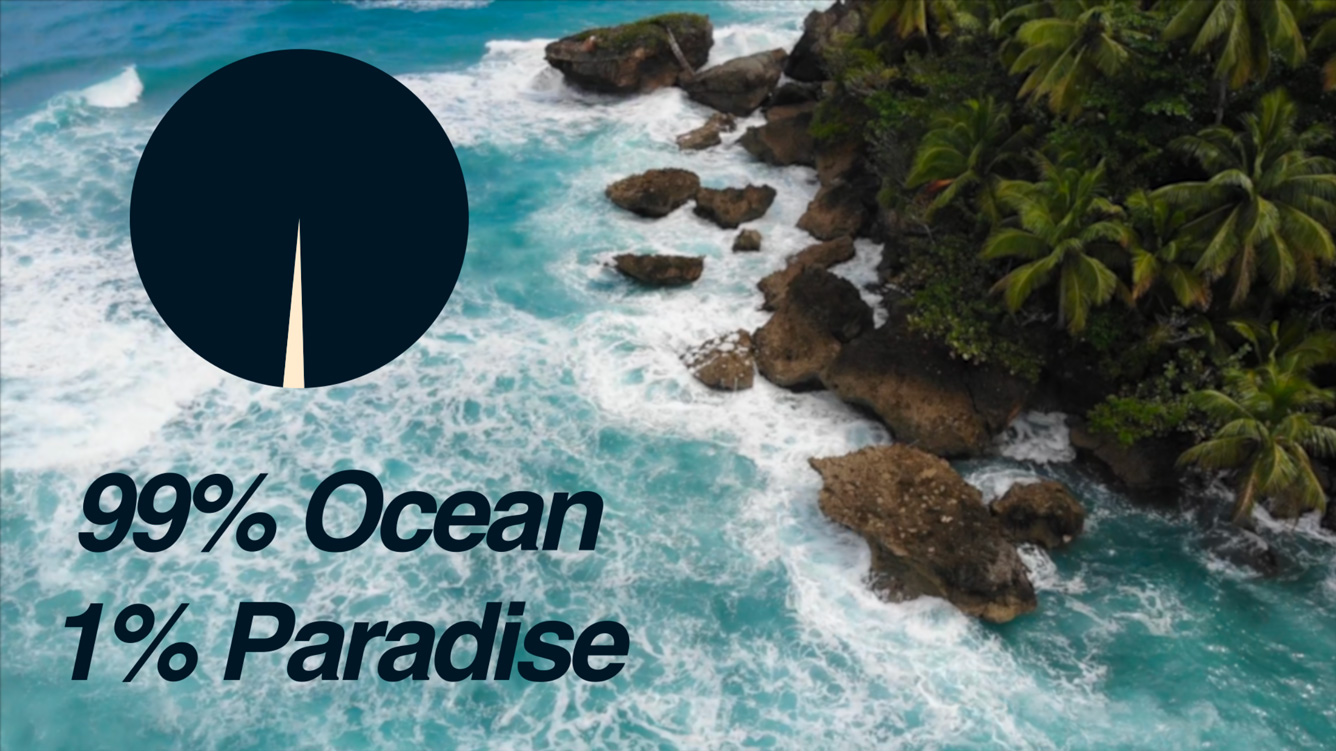
Custom pie chart — navy and cream palette over aerial footage

Data Visualization — Integrated into the Environment

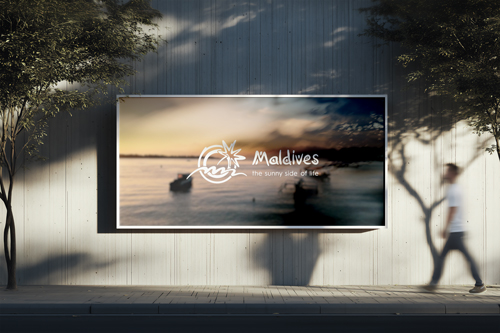
Rather than cutting away to a traditional chart screen, data was integrated directly into the footage. For the geographical composition, a custom pie chart was designed using a sophisticated navy and cream colour palette — elegant enough to sit over aerial ocean footage without feeling clinical. The accompanying copy, "99% Ocean, 1% Paradise," distills the statistic into something poetic rather than purely informational.

For seasonal data, a minimalist transparent bar graph communicates the best time to visit without obscuring the background footage — the data feels like it belongs in the environment rather than being placed on top of it.

Dynamic Typography — Rolling Number Counters

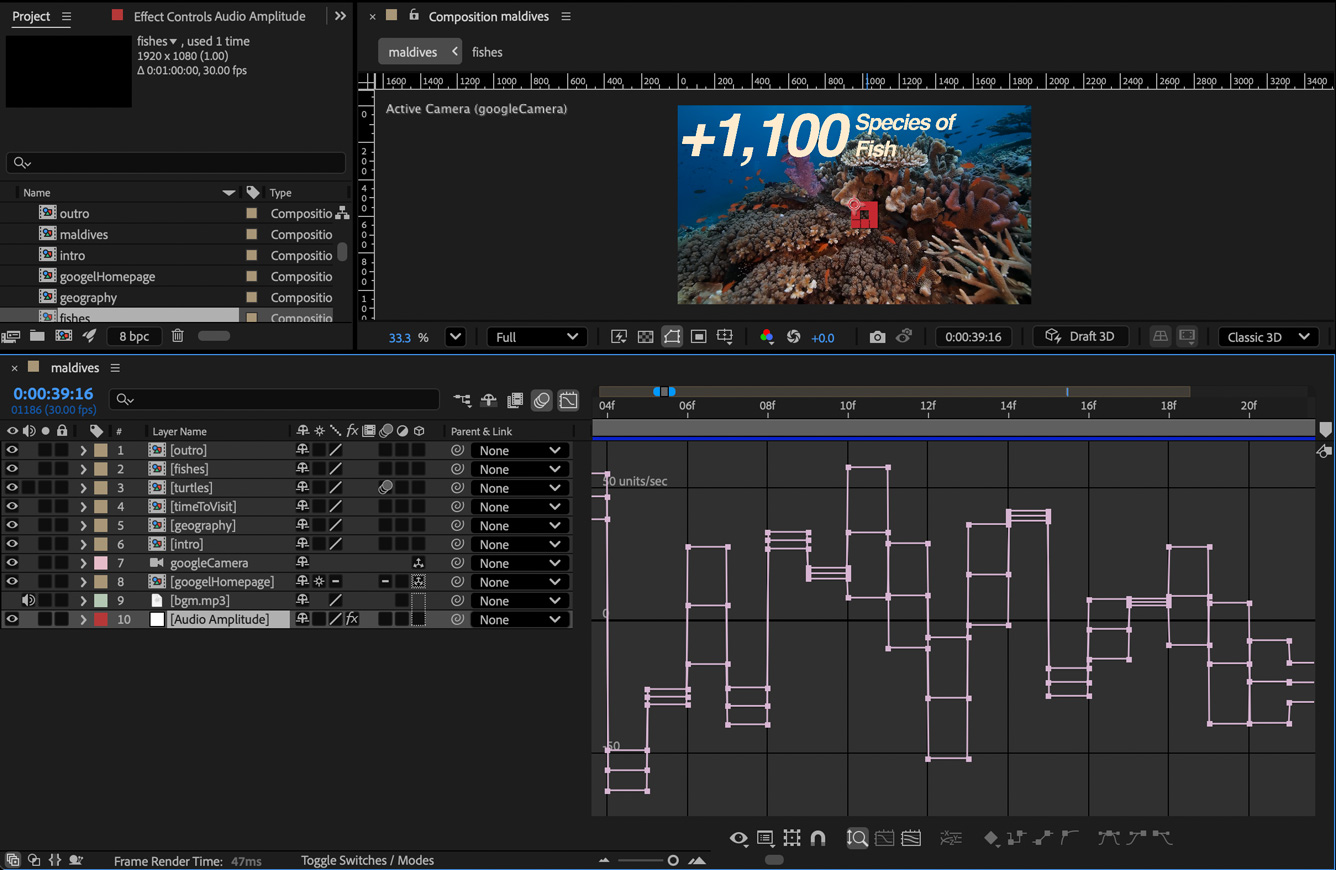
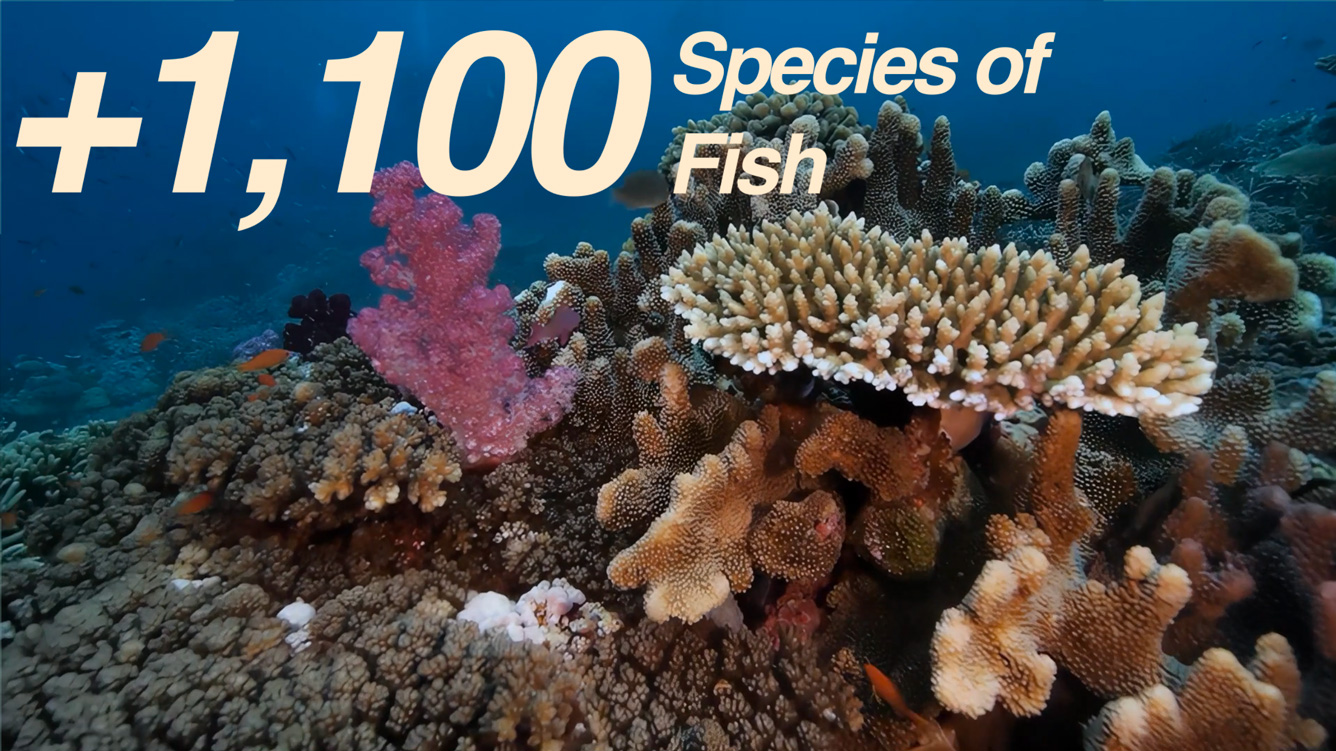
To highlight the region's biodiversity, rapid rolling number counters were animated directly into the footage — ticking up to figures like "+1,100 Species of Fish" over dynamic reef shots. The counters use clean, bold typography that commands attention without pulling the eye away from the visual beneath. This technique transforms statistics from passive information into an active, engaging reveal that holds the viewer's attention through the data sections.

Rolling Number Counters

Rolling number counter — biodiversity statistic over reef footage

Cinematic Transitions

Soft transitions matched to ambient audio rhythm

Cinematic Pacing & Transitions

Every cut and transition was kept soft and fluid, matched deliberately to the rhythm of the ambient background audio. In a 45-second piece, pacing is everything — too fast and the viewer loses the luxury feel, too slow and the information doesn't land in time. The result is a piece that breathes, giving the footage room to register emotionally before the next data point arrives. The video closes with the official Maldives tourism branding — "The sunny side of life" — elevating raw statistics into an inspiring call to action.

Final Deliverable

The completed 45-second motion infographic — a broadcast-ready promotional featurette for The Maldives tourism board.

Results & Reflection

What I Made

A broadcast-ready 45-second motion infographic that successfully elevates geographical and tourism data into a premium visual experience. The piece demonstrates that data visualization doesn't have to mean clinical charts — when designed with the right aesthetic sensibility it can reinforce rather than interrupt a cinematic narrative.

If I Did It Again

I would push the data visualization further — the pie chart and bar graph work well, but there's an opportunity to design more bespoke chart forms that feel even more native to the Maldives aesthetic. I would also experiment with a slightly longer cut to give each data section a little more breathing room, since 45 seconds is a tight constraint for the volume of information covered.

Next Project

05

Digital Signage System

View Live Project
RoleUI/UX Designer & Front-End Developer Timeline12 Weeks Year2025

Digital Signage System

A real-time, data-driven digital signage display built for Durham College — deployed live across two servers, featuring five integrated content panes, three custom GSAP motion graphic ads, and a fully branded admin panel for content management.

Overview

My Role

Designer and front-end developer across all five content panes and the admin panel. The project was built iteratively over 12 weeks — each week introducing a new pane or feature. The database schema, PDO connection setup, foundational PHP class structure, font-size scaling script, and admin panel base were provided by my professor as assignment scaffolding. Everything built on top of that — all visual design, animation, content pane logic, and styling — is my own work.

The Brief

Design and build a fully functional digital signage system that follows Durham College's visual identity. The display had to be data-driven, managed through an admin panel, and deployed to a live server — functioning as a real institutional display, not a mockup.

Responsibilities

  • Full visual design of all five content panes in keeping with Durham College branding
  • Logo pane — Durham College logo with Faculty of Media Art and Design personalization
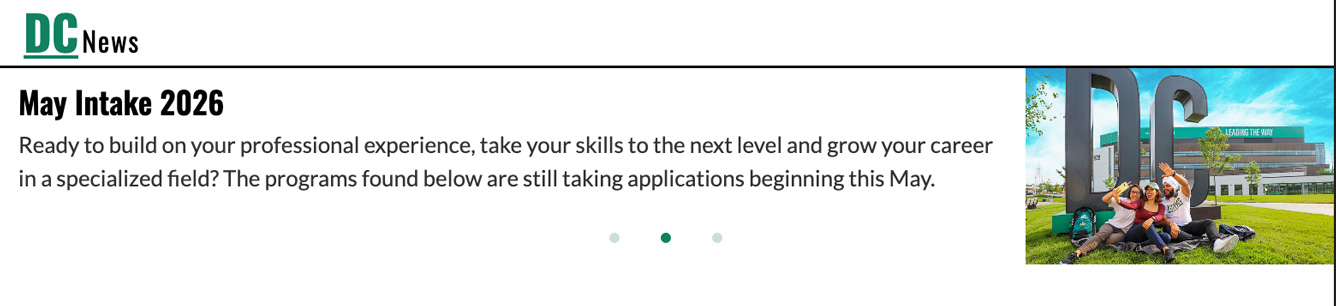
  • News pane — layout design and Slick.js carousel integration pulling from MySQL
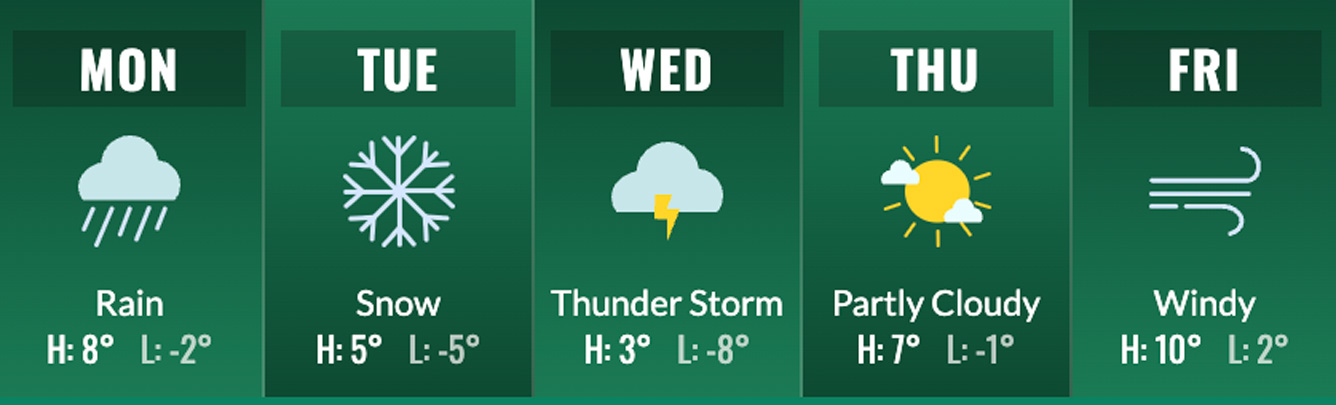
  • Weather pane — five-day layout, custom SVG weather icons, alternating column gradients
  • YouTube pane — embed design and database-managed video ID cycling
  • Ticker tape — styled meal info scrolling strip with green gradient and maroon label
  • Three fully custom GSAP motion graphic ads built as standalone SVGs with complex timelines
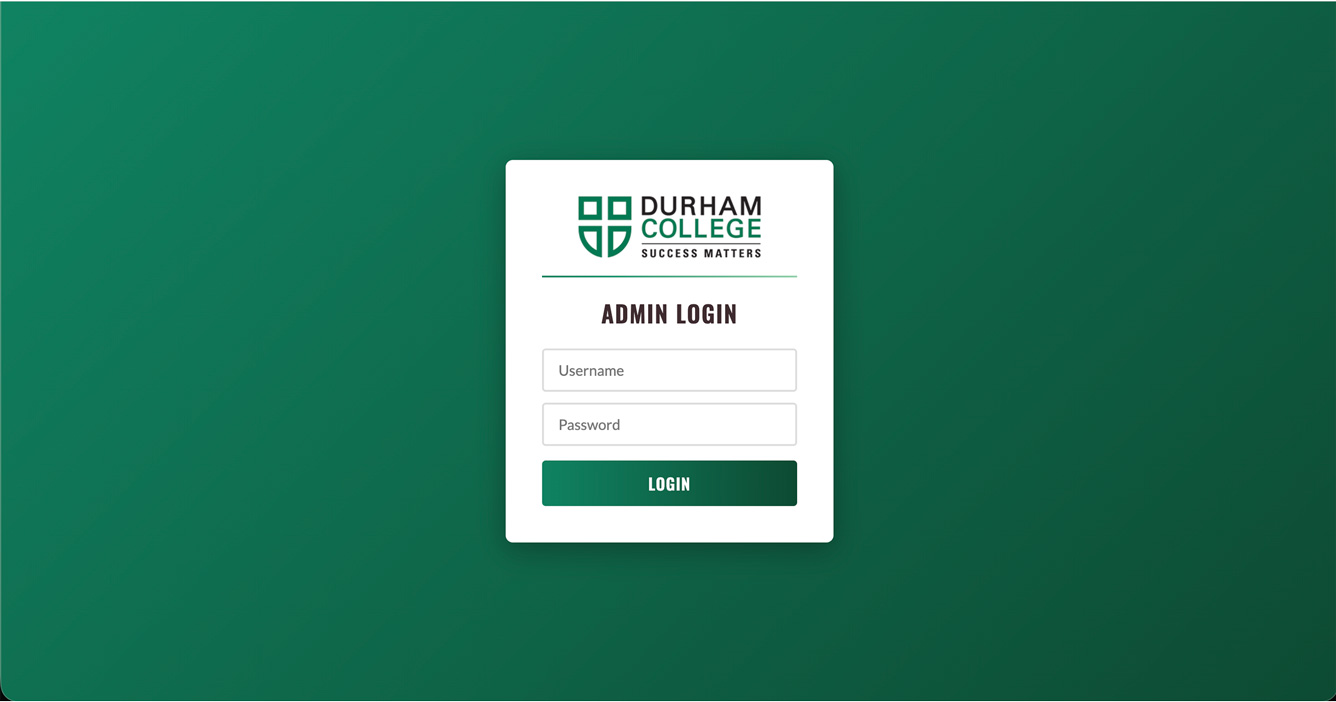
  • Admin panel styling — Durham College branding, Oswald and Lato typography, green and maroon colour scheme
  • Front-end presentation logic, PHP templating, iframe postMessage communication
  • Live deployment to Durham College DCA server and personal domain at mukulkankran.com

Design System & Branding

Durham College Visual Identity

The entire display was designed to align with Durham College's official branding — using the institution's green and maroon colour palette, Oswald for headings and Lato for body text throughout both the signage display and the admin panel. The goal was for the system to feel like it genuinely belonged in a college hallway, not like a student project.

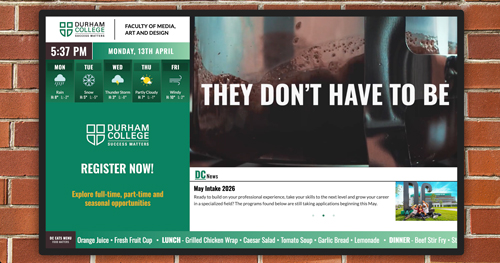
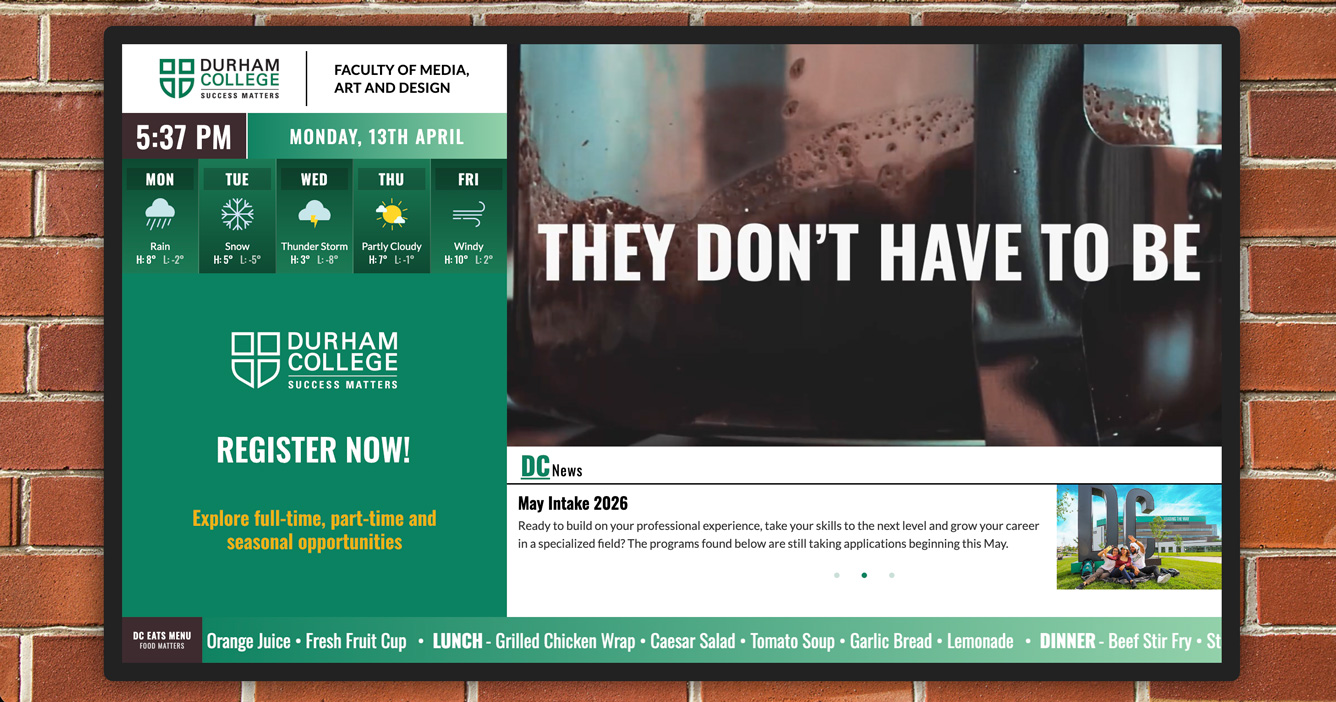
The display is wrapped in a television frame set against a brick wall background, scaled responsively so it reads correctly at any screen size. The logo pane displays the Durham College logo alongside "Faculty of Media Art and Design" — a small but intentional detail that personalizes the display to its specific academic home.

Five-Pane Layout

The display is divided into five distinct content panes, each serving a different informational purpose and operating independently — news, weather, YouTube, motion graphics, and the ticker tape. Together they create a visually dense but organized display that communicates multiple types of content simultaneously without feeling cluttered.

All five panes pull their content dynamically from a MySQL database, meaning no hardcoded content exists in the front end — everything is managed through the admin panel and reflected on the display in real time.

Digital Signage Full Display

Full display — five panes within television frame

Admin Panel

Admin panel — Durham College branding with full content management

Content Panes

News Pane

The news pane pulls headlines and images from the MySQL database and displays them in an auto-advancing carousel built with Slick.js. Each slide presents a headline and supporting image, cycling through all active news entries without any user interaction. New stories are added or removed entirely through the admin panel.

News Pane

News pane — Slick.js carousel with database-driven headlines

Weather Pane

Weather pane — five-day forecast with custom SVG icons

Weather Pane

The weather pane displays a five-day forecast, with PHP's date("w") used to dynamically determine the current day and highlight it appropriately. Each day column features alternating gradients for visual separation, and all weather condition icons were custom-designed as SVGs — sun, cloud, rain, snow and more — built to match the overall display aesthetic.

YouTube Pane

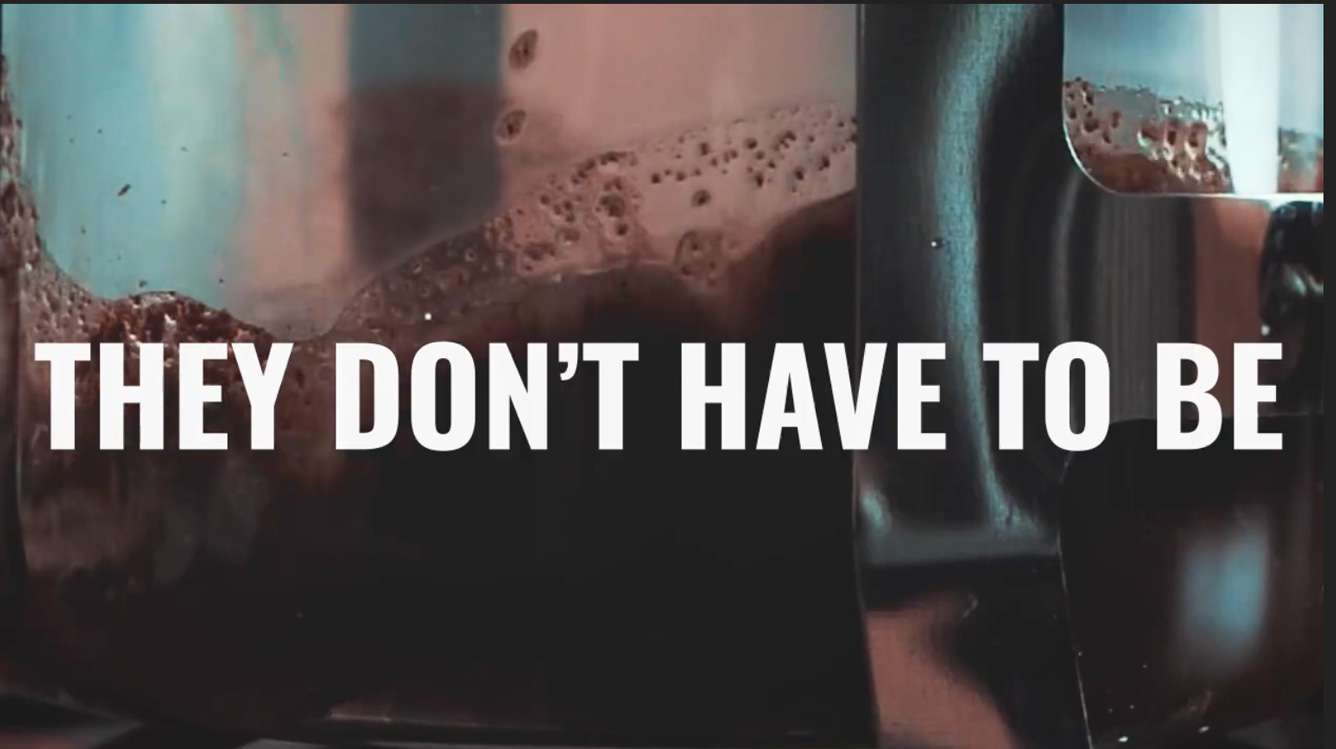
The YouTube pane embeds and cycles through video IDs stored in the MySQL database. Videos are managed entirely through the admin panel — adding a new YouTube ID immediately queues it into the rotation. The pane handles the embed responsively within its allocated display area.

YouTube Pane

YouTube pane — database-managed video cycling

Ticker Tape

Ticker tape — meal info scrolling strip with maroon label

Ticker Tape

Running along the bottom of the display, the ticker tape scrolls Breakfast, Lunch, and Dinner meal information using jQuery Marquee. The strip is styled with a green gradient background and a bold maroon label — both pulled directly from Durham College's brand palette. Meal content is updated through the admin panel and reflects immediately on the display.

Motion Graphics Pane

How It Works

The motion graphics pane cycles through a sequence of three animated advertisements, each built as a standalone SVG with its own self-contained GSAP timeline. When each ad completes its sequence, it communicates back to the parent display frame via postMessage, which triggers the next ad to load. Ads can be toggled on or off individually through the admin panel.

Animation Approach

Each ad was built from scratch in SVG with a fully custom GSAP timeline — text reveals, image wipes, icon animations, and looping sequences. The challenge was making each one feel polished and broadcast-ready while keeping the file self-contained enough to load inside an iframe and communicate its completion state back to the parent.

Ad 01 — Durham College Job Fair PSA

A public service announcement promoting the Durham College Job Fair. Built to match the college's institutional tone — green and maroon palette, Oswald typography, clean layout. The animation sequence reveals the event details progressively, drawing attention to the key information: date, location, and call to action. Designed to be immediately legible at a glance from a distance, as a real hallway display would require.

Job Fair PSA Ad

Ad 01 — Durham College Job Fair PSA

Ad 02 — Church's Chicken Brand Ad

Church's Chicken Ad

Ad 02 — Church's Chicken brand promotion

A brand promotion ad for Church's Chicken, designed in the style of a fast food television commercial — bold typography, high-energy animation, warm colour palette. The GSAP timeline features logo reveals, text wipes and a looping end sequence. Built entirely as a standalone SVG animation, maintaining visual consistency with the kind of advertising that would realistically appear on a commercial digital signage display.

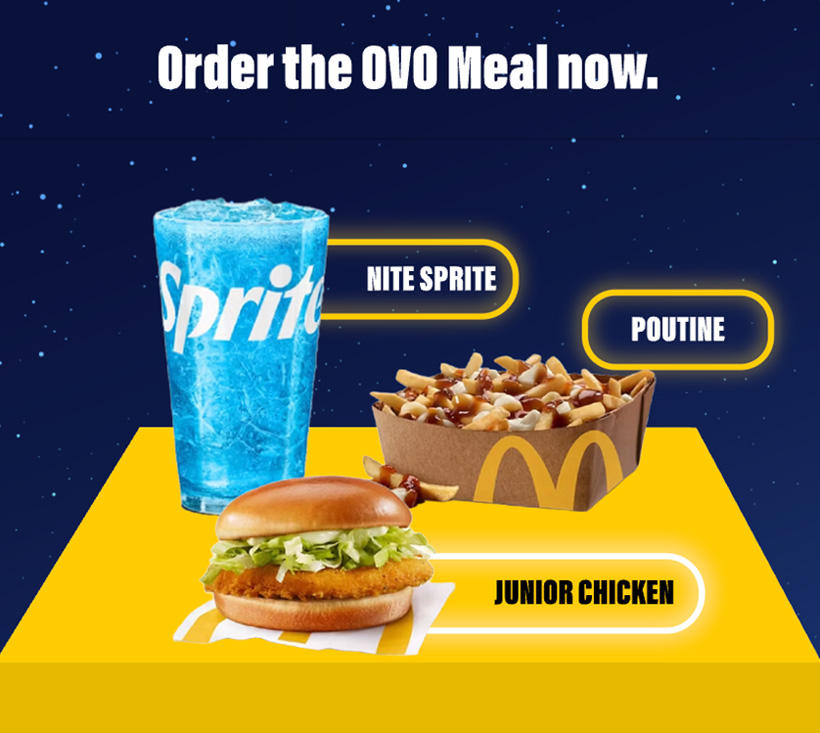
Ad 03 — OVO McDonald's Collab Meal

A promotional ad for the Drake x McDonald's OVO Meal collaboration. The design leans into the OVO aesthetic — dark background, gold accents, premium feel — contrasted against McDonald's iconic brand elements. The GSAP timeline builds the ad with staggered reveals and icon animations that give it the feel of a real limited-edition campaign promotion.

OVO McDonald's Ad

Ad 03 — OVO x McDonald's Meal collab promotion

Results & Reflection

What I Built

A fully deployed, data-driven digital signage system live at mukulkankran.com — not a prototype, a real working display. Five content panes, three custom GSAP ads, a functional admin panel, and a design system that authentically mirrors Durham College's visual identity.

The system is transparent about its scaffolding — the database structure, PHP foundation, and font scaling script were provided as a starting framework. What that scaffolding enabled was focusing creative energy entirely on design quality and animation craft rather than backend infrastructure.

If I Did It Again

I would explore building the motion graphics pane with a more modular ad format — currently each ad is a fully self-contained SVG file, which means adding a new ad requires building a new SVG from scratch. A template system where the content could be swapped via the admin panel without touching the animation code would make the system far more scalable.

I would also invest more time in the weather pane — the five-day forecast is functional but relies on manually entered data in the admin panel. Connecting it to a live weather API would make it genuinely useful as an institutional display.

View Full Project

Next Project

06

Collaborative Work

View Live Site
RoleUX Designer, Researcher & Creative Director Team4 Members Timeline12 Weeks Year2025

Interactive Media Web Development — Program Website

A collaborative team project to design and build a recruitment-focused program website for Durham College's Web Development program — giving prospective students a clear, honest, and inspiring picture of what the program offers and what they can achieve.
Overview

The Brief

Design and build a website for the Interactive Media Web Development program at Durham College — aimed specifically at prospective students. The site needed to answer the questions an incoming student would actually have: what will I learn, what can I make, where will it take me, and is this program worth it?

My Role

I led the UX research, design direction, and creative supervision across the project. While the team had dedicated coders, designers, and asset creators, my responsibility was to ensure the design decisions stayed anchored to the user — the prospective student — and that the visual direction remained consistent and intentional throughout the 12-week build.

Team Structure

  • UX Designer, Researcher & Creative Director — Mukul Kankran
  • Front-end developers — responsible for building and coding all sections
  • Visual designer — UI design and layout execution
  • Asset creator — illustrations, icons and media management

My Contributions

  • User research — identifying what prospective students need to know
  • Information architecture — structuring the site around the user's decision journey
  • Design direction and creative supervision across all sections
  • Produced the program video embedded on the site
  • Ensured all content and data across the site was accurate and well-sourced

Design Direction

Breaking Away from Institutional Branding

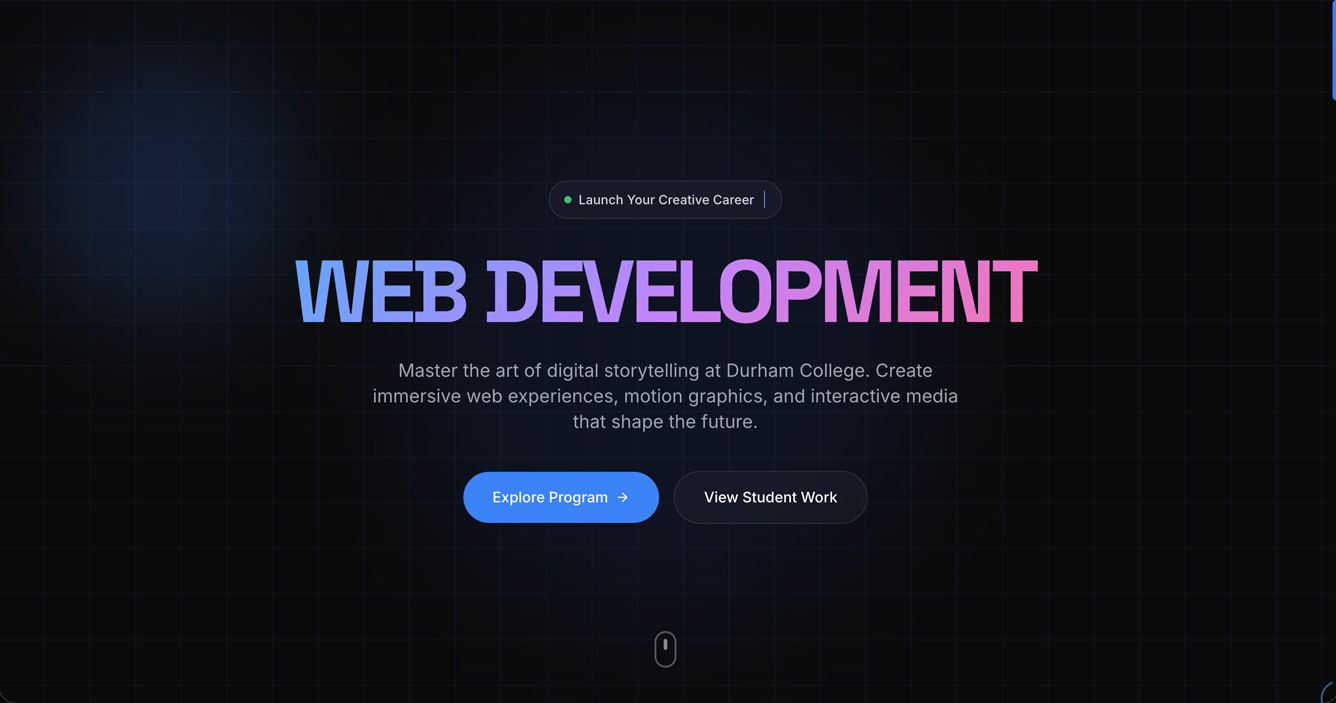
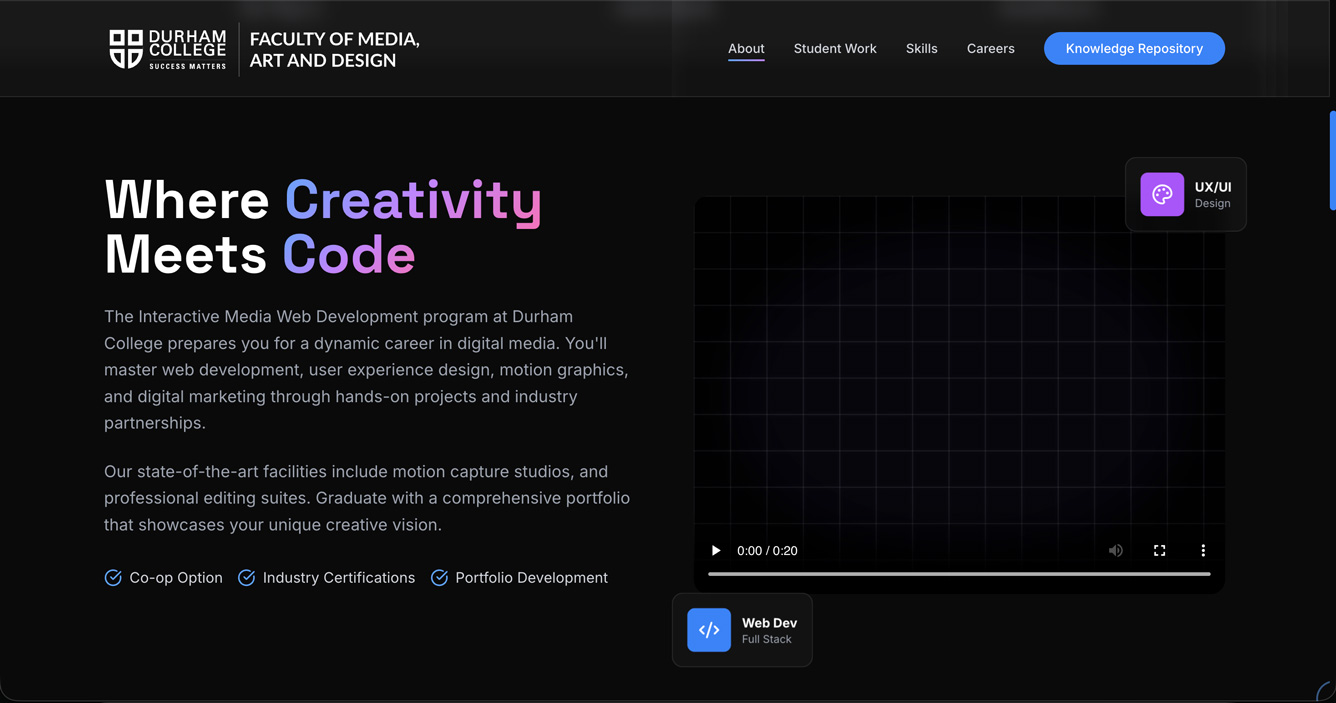
Most college program pages follow the same formula — green and maroon, institutional fonts, stock photography, and copy that reads like a brochure. We made a deliberate decision to break from that. The site uses a dark, modern aesthetic with gradient typography, a technical grid background, and a visual language that feels closer to a premium tech product than a college flyer.

This was an intentional signal to the prospective student: the people who built this website are students in this program. If you join, you can build things like this too.

Designed for the Student, Not the Institution

Every section was designed around a question a real prospective student would ask. The hero establishes the program immediately. The about section explains what the program actually teaches. The student work section shows real outputs from current students. The careers section answers "what will I earn?" with honest salary ranges. The graduate testimonials provide social proof from peers, not professors.

The consistent thread throughout was transparency — making sure the student looking at this site knows exactly what they're signing up for and feels confident that the program is worth their time.

Hero Section

Hero — gradient typography, "Now Accepting Applications" badge, dark techy aesthetic

About Section

About section — program overview with co-op, certifications and portfolio development highlights

Site Sections

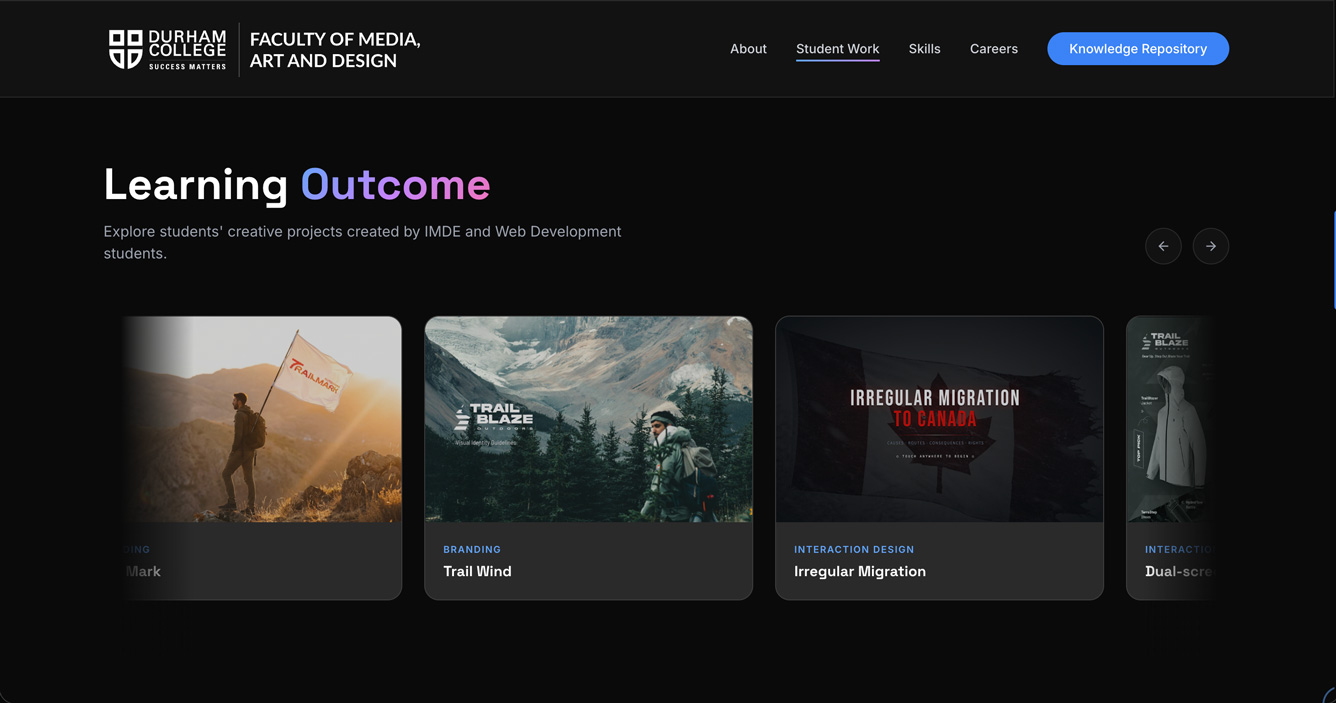
Student Work Showcase

One of the most important sections on the site — a carousel of real student projects from the program, categorized by type: Branding, Interaction Design, Websites, and Motion Graphics. The goal was to show prospective students what they could realistically build after a few semesters, using work made by people who sat in the same seats they would be sitting in.

Student Work Section

Student Work — categorized project carousel with real program outputs

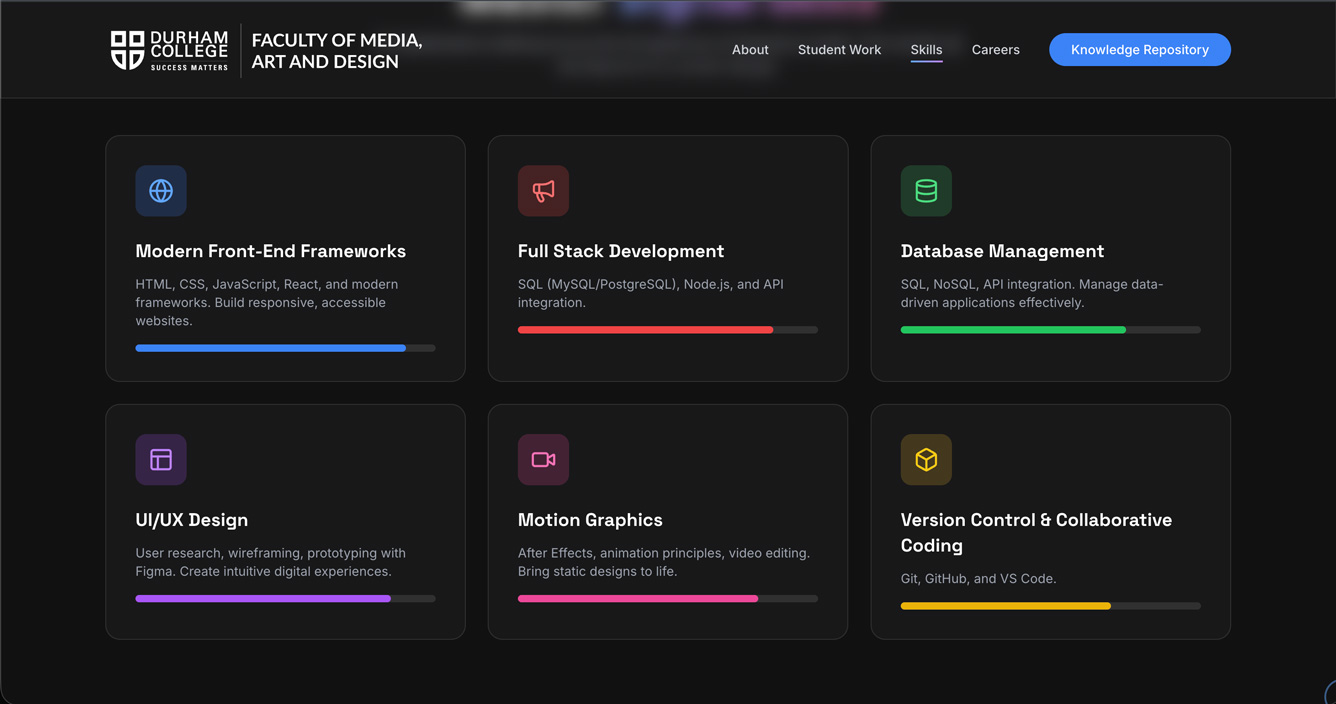
Skills Section

Skills section — full curriculum breakdown across 6 discipline areas

Skills & Curriculum

A comprehensive breakdown of what the program teaches — Modern Front-End Frameworks, Full Stack Development, Database Management, UI/UX Design, Motion Graphics, and Version Control. Each skill area is described in plain language so a student with no prior experience can understand what they'll be learning and why it matters in the industry.

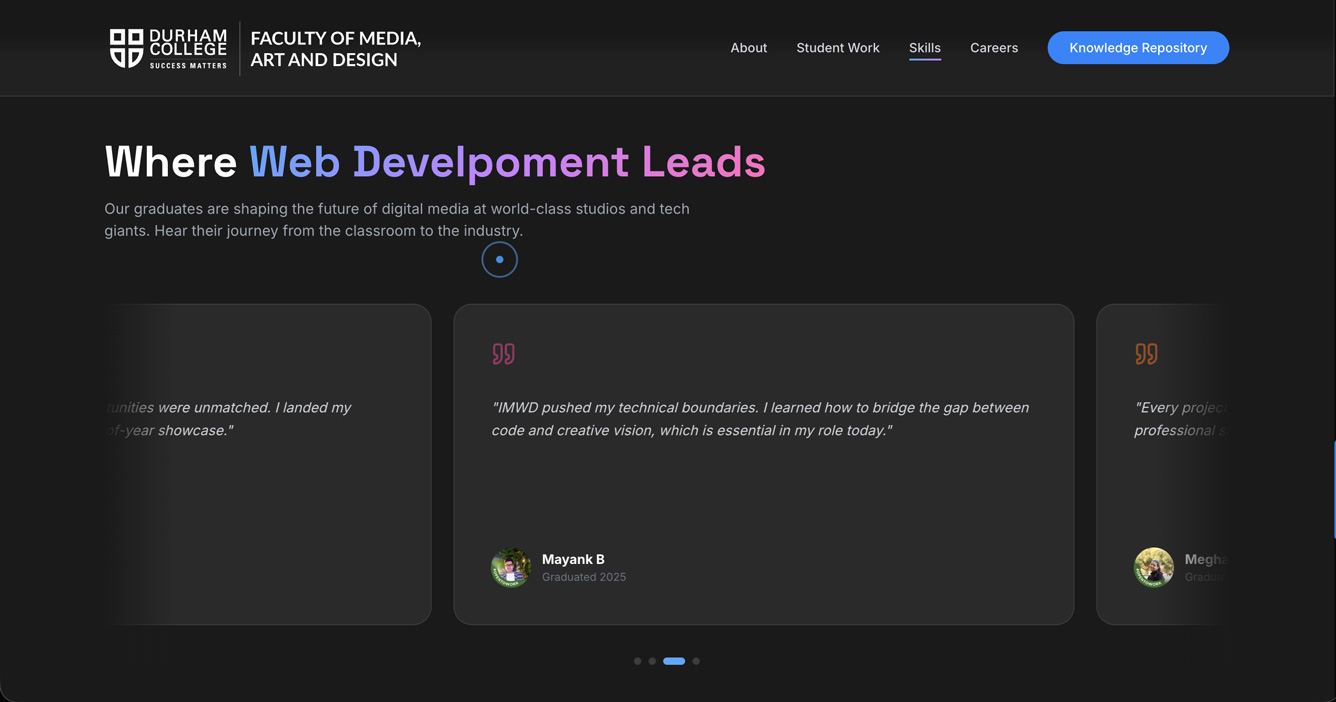
Graduate Testimonials

A scrolling testimonial carousel featuring reviews from four program graduates — Rohit Motale, Gurshaan Chahal, Mayank B, and Megha Sharma. Each testimonial speaks to a different aspect of the program experience: the hands-on learning approach, networking opportunities, technical skill development, and real-world project preparation. The social proof comes from peers, not promotional copy.

Testimonials Section

Graduate testimonials — auto-scrolling carousel with peer reviews

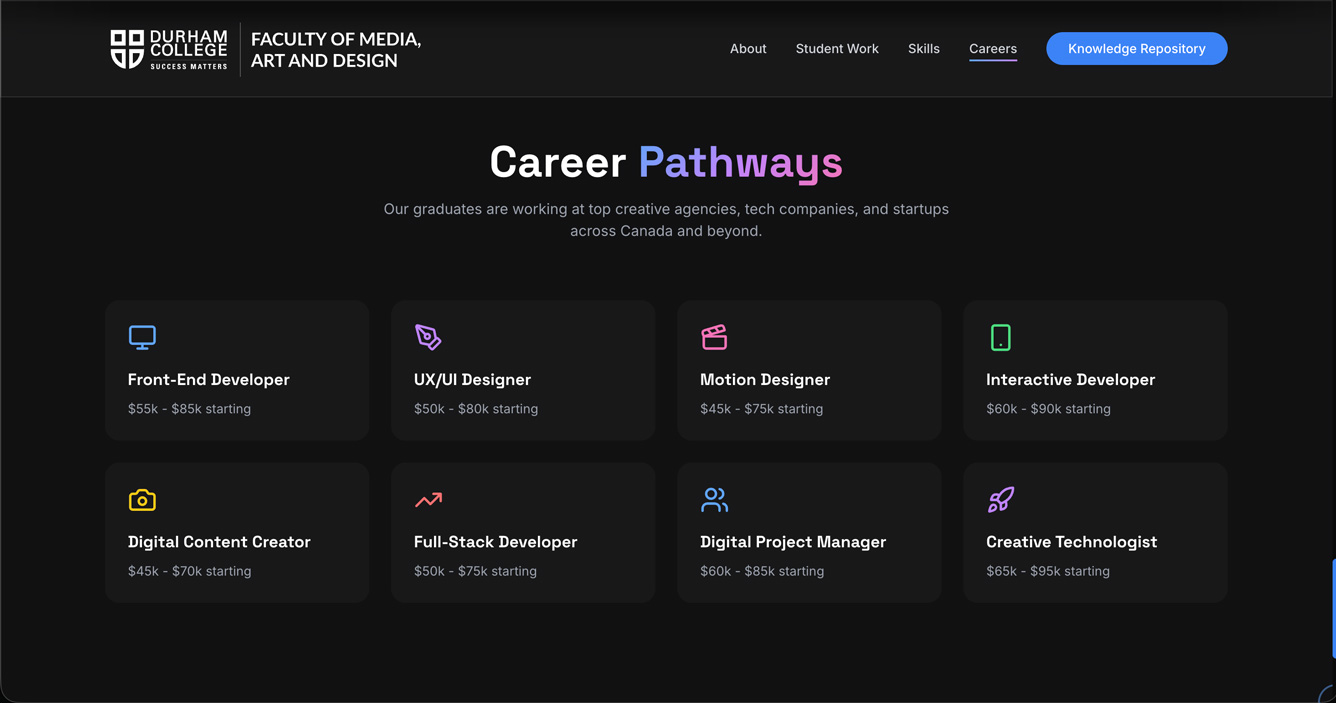
Career Pathways Section

Career Pathways — 8 roles with starting salary ranges

Career Pathways & Salary Data

Eight career roles with honest starting salary ranges — researched and compiled as part of my contribution to the project. Front-End Developer, UX/UI Designer, Motion Designer, Interactive Developer, Digital Content Creator, Full-Stack Developer, Digital Project Manager, and Creative Technologist. Giving prospective students concrete salary expectations is the kind of transparency that builds trust and helps them make an informed decision about the program.

Results & Reflection

What We Built

A fully live, production-quality program website that genuinely feels like it was built by people who know what good web design looks like — because it was. The site makes a quiet but powerful statement: students in this program build things at this level. That was the most important thing we could communicate to someone considering applying.

The research-driven approach to content — career data, student work, honest testimonials — means the site answers real questions rather than just promoting the program. That distinction matters to a prospective student who is trying to make an actual decision.

What I Learned from Collaboration

Leading the creative direction on a team project is a different skill from executing design solo. The biggest challenge was maintaining a consistent visual and content standard across four people working simultaneously — ensuring that decisions made in one section didn't contradict decisions made in another. It required clear communication, early alignment on design principles, and regular check-ins on the overall direction.

Working within a team also meant advocating for the user when the team was tempted to prioritize aesthetics over clarity, or to add sections without a clear purpose. Keeping the prospective student at the centre of every decision was something I had to actively maintain throughout the project.

View Live Site

Next Project

07

Mustang Ridge — Brand Book & Marketing

RoleBrand Designer & Motion Designer Timeline8 Weeks Year2025

Mustang Ridge Outdoors — Brand Book & Marketing Materials

A complete brand identity system built from scratch for Mustang Ridge Outdoors — an outdoor lifestyle brand designed for working professionals in cities like Toronto who crave the restorative power of nature. Includes a full visual identity guideline and a suite of marketing materials.
Overview

The Brand

Mustang Ridge Outdoors was built on a simple belief: modern city life, while full of opportunity, quietly pulls people away from the rhythms of nature that once shaped human strength, patience, and clarity. The brand was founded for urban explorers — designers, engineers, entrepreneurs, and creatives — who live in cities like Toronto but crave the restorative power of forests, peaks, and trails.
Every product, interface, and visual element of Mustang Ridge reflects this philosophy: bold enough for the city, calm enough for nature. The brand guides people from concrete streets to natural ridges, encouraging balance between ambition and awareness.

Responsibilities

  • Brand naming, positioning and story development
  • Logo design — wordmark, icon, and full lockup variations
  • Colour palette — primary, secondary and neutral systems
  • Typography system — heading, body and display typefaces
  • Brand voice and messaging guidelines
  • Full visual identity guideline document (brand book)
  • Static marketing ad — 1080 × 1080px
  • Video marketing ad — 1080 × 1080px

Brand Identity

Logo & Visual System

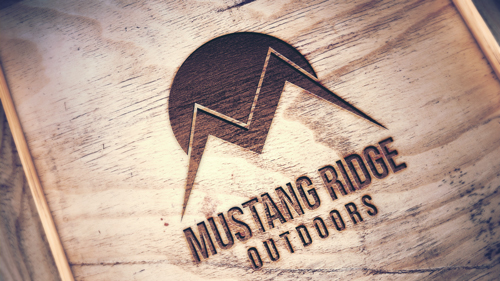
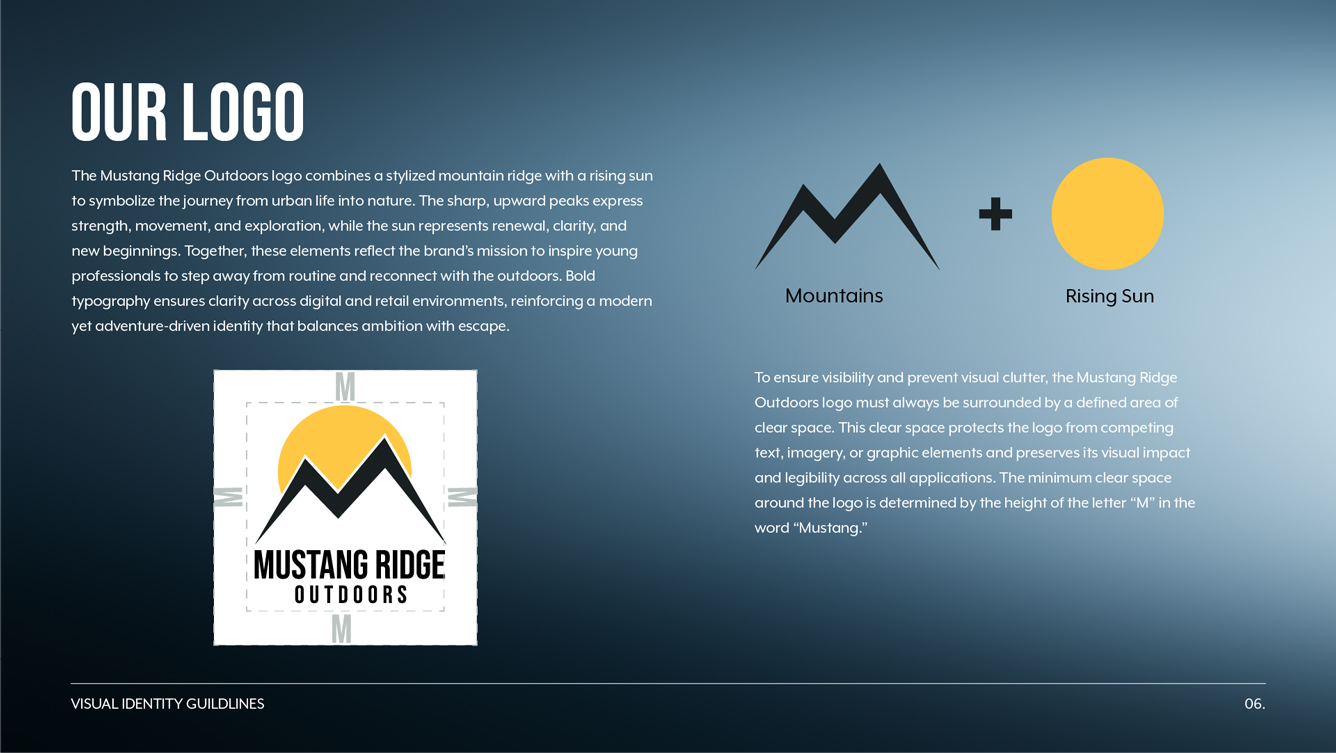
The Mustang Ridge Outdoors logo is built around a mountain silhouette with a rising sun — a mark that communicates both the outdoors and the sense of a new beginning that nature offers. The mark is bold and geometric, designed to work across all surfaces from digital screens to product labels and apparel.
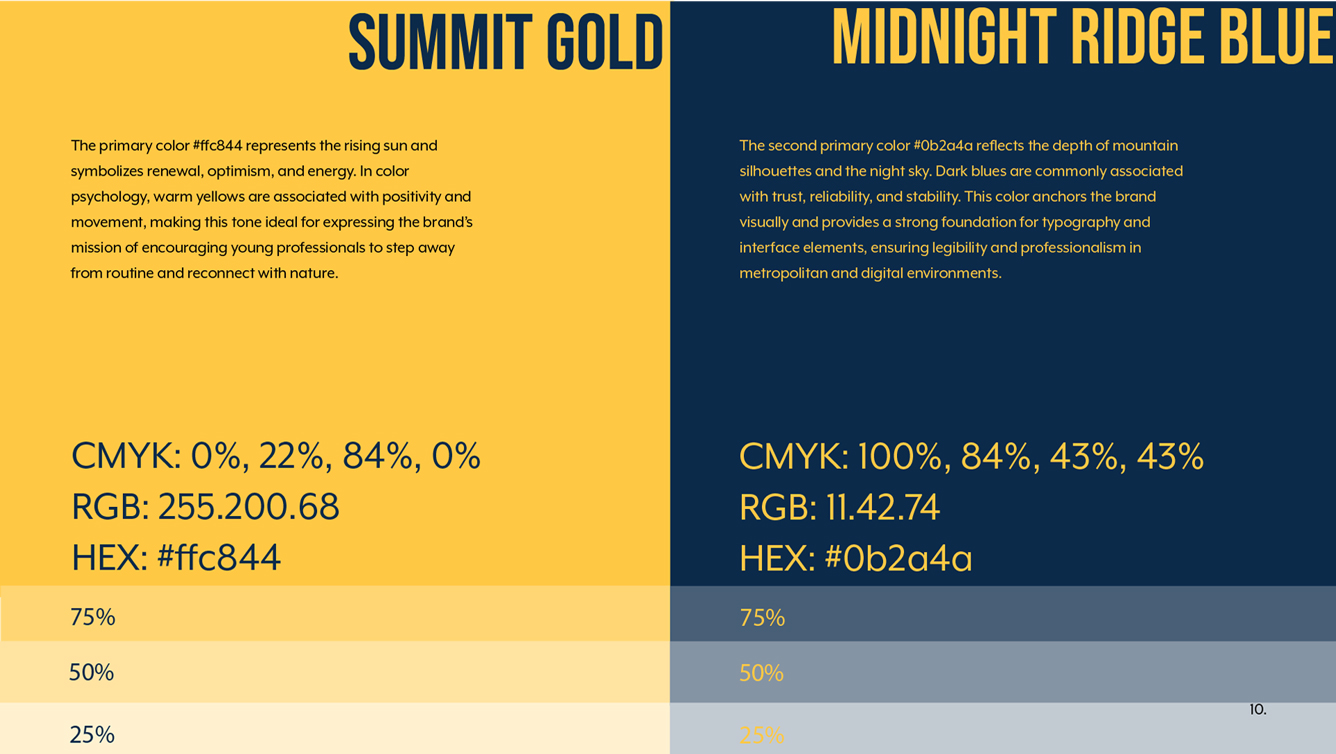
The colour palette pairs a warm golden yellow — representing sunlight, energy and optimism — against deep navy and charcoal tones that evoke mountain terrain and night skies. This contrast is the visual backbone of the entire brand, carried consistently across every touchpoint from the logo to the retail installation to the marketing materials.

Brand Positioning

The target audience is the metropolitan professional aged 25–40 — someone with a career, a city address, and a growing desire to step away from screens and schedules. Mustang Ridge speaks to this person not by telling them to abandon their ambitions, but by showing them how nature and achievement can coexist.

The brand voice is direct and grounded — it doesn't use the overblown language of luxury outdoor brands or the aggressive energy of performance sports brands. It speaks like a friend who hikes on weekends and codes during the week. Bold enough for the city, calm enough for nature.

Mustang Ridge Logo

Logo system — primary lockup, icon mark and wordmark variations

Colour Palette

Colour palette — golden yellow, deep navy, charcoal and neutral tones

Brand Book

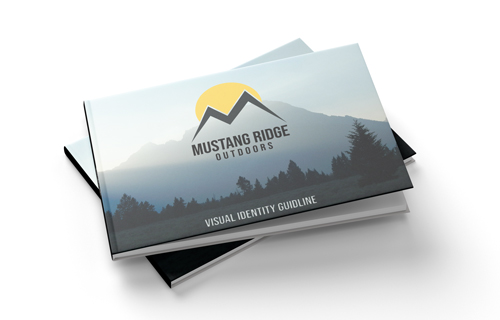
The complete Mustang Ridge Outdoors Visual Identity Guideline — covering logo usage, colour system, typography, brand voice, imagery direction and application examples across all touchpoints.
Flip through the brand book — use the arrows to navigate between pages

Marketing Materials

The brand identity was applied to a suite of marketing materials — a static ad and a video ad, both produced at 1080 × 1080px for social media deployment.

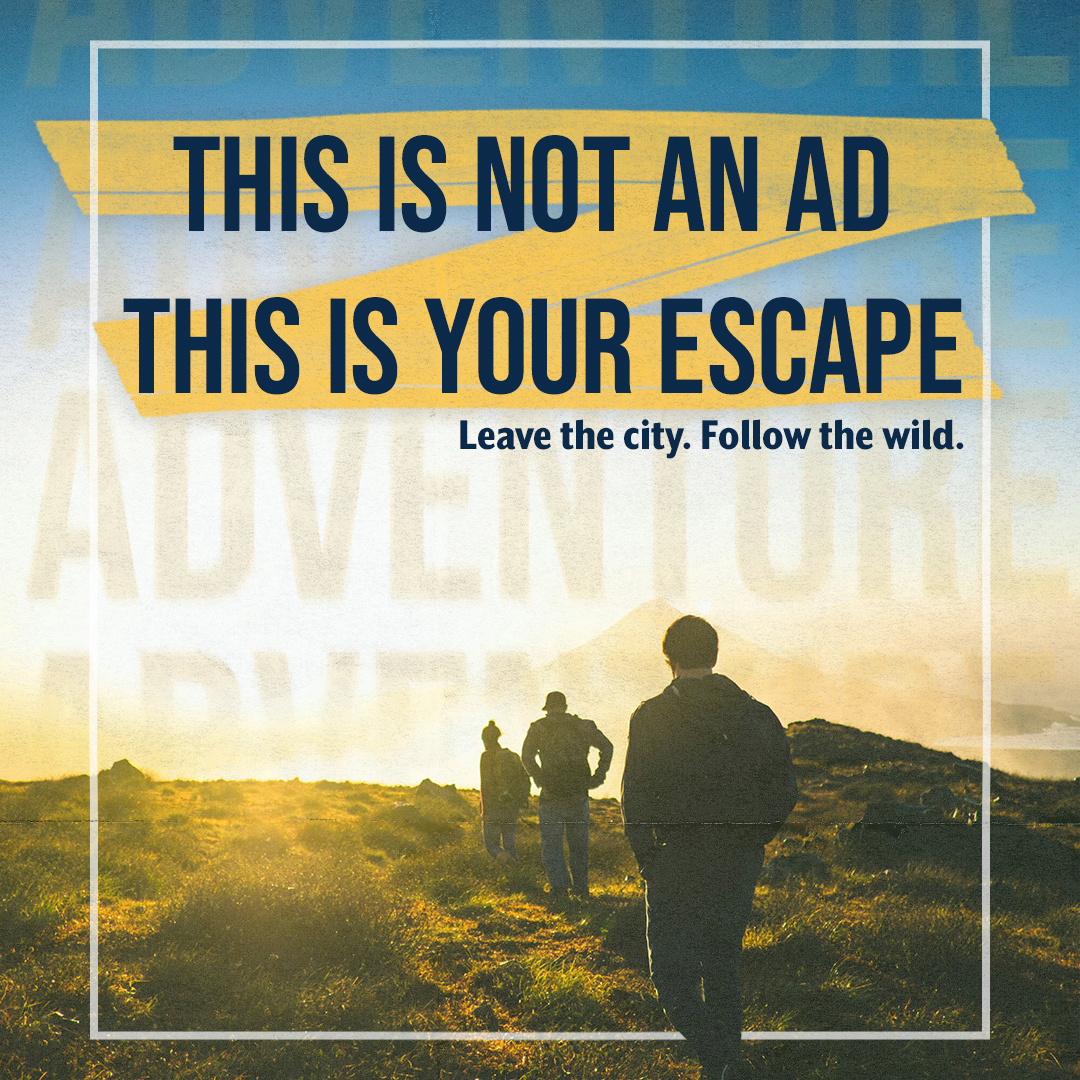
Static Ad

A single-frame social media advertisement applying the full Mustang Ridge visual system — logo, colour palette, typography and imagery direction — to a format designed for Instagram and similar platforms. The composition follows the brand's core tension: city energy meeting natural calm.

Mustang Ridge Static Ad

Static ad — 1080 × 1080px social media format

Video Ad

A motion advertisement produced in After Effects, bringing the Mustang Ridge brand to life through animation. The video applies the same visual system as the static ad but adds motion — logo reveals, typography animations and imagery transitions — creating a more engaging format for social media feeds and digital displays.

Video ad — 1080 × 1080px social media format

Results & Reflection

What I Built

A complete brand identity system built from zero — naming, positioning, logo, colour, typography, voice, guidelines and marketing materials. The brand went on to form the visual foundation for the entire Retail Installation project, with the Mustang Ridge identity applied consistently across three interactive stations, a product line, and multiple video productions.

Building the brand first and then seeing it deployed across a real installation gave the identity system a real-world test — every design decision made in the brand book had to hold up across touchscreens, large format displays, product photography and motion graphics. It did.

If I Did It Again

I would spend more time developing the brand's secondary colour system earlier — as the brand was applied to more and more surfaces during the retail installation, I found myself making colour decisions on the fly that weren't fully documented in the original brand book. A more thorough set of application guidelines from the start would have made the extended use more consistent.

I would also explore a broader range of logo mark variations — the primary lockup works well at large sizes but I found myself needing a more minimal mark for small applications like bag labels and app icons. Planning for scale from the beginning is something I'd prioritize in future brand work.

Next Project

08

Retail Installation

RoleUI/UX Designer, Brand Creator & Motion Designer Timeline8 Weeks Year2025

Retail Installation

A three-station interactive retail installation built around Mustang Ridge Outdoors — a brand I created from scratch. The installation features a gesture-controlled 360° product viewer, a dual-screen interactive catalogue with physical receipt checkout, and a QR-triggered brand video screen.

Overview

My Role

Sole designer across all three stations. The interactive framework was provided by my professor — everything else, from brand identity and product photography to UI design and motion work, was independently conceived and produced as part of my Interactive Media Design program at Durham College.

The Brief

Design and build a fully branded retail installation consisting of three interactive stations: a gesture-controlled 360° product viewer, a dual-touchscreen interactive catalogue, and a QR-triggered brand video screen — all unified under a single brand identity.

Responsibilities

  • Brand creation — Mustang Ridge Outdoors (logo, identity, colour system, product lineup)

  • Product photography — 15 bag rotation images + component close-ups
  • Stop point & highlight video production in After Effects (11 videos)
  • Full catalogue UI design in Photoshop (two-screen layout, all product pages)
  • Catalogue screensaver & instructional video production in After Effects
  • Brand marketing video production — 4 videos shot & edited
  • Phone background wallpaper design for QR landing page
  • JSON configuration for video playback system

Component 01 — 360° Rotating Product App

How It Works

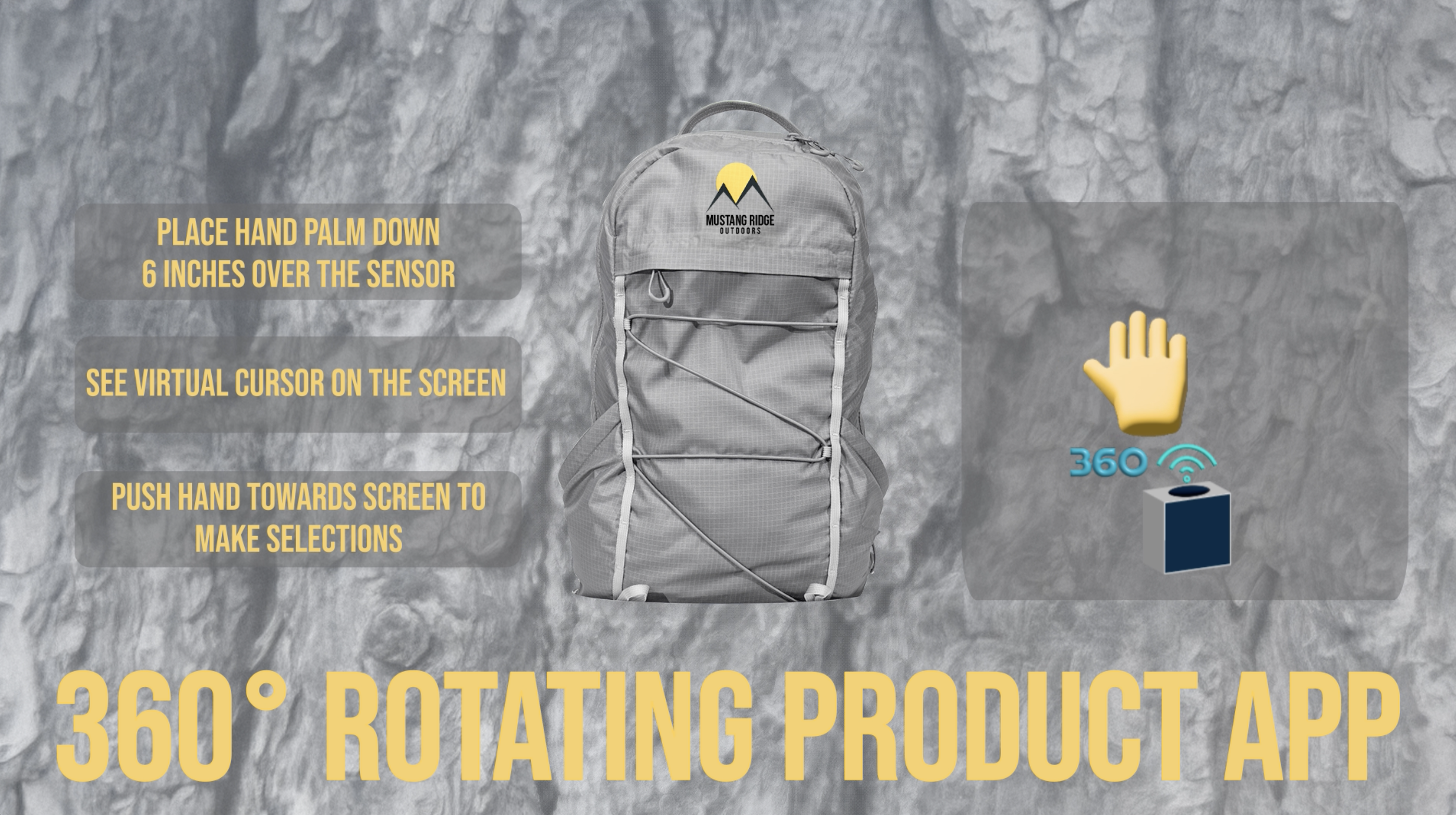
The app runs on a large display positioned at a distance from the user. A motion sensor on the stall in front detects hand movement — hovering a palm face-down about 6 inches above the sensor activates a virtual cursor on screen. Moving the hand navigates the cursor, and pushing towards the screen registers as a click.

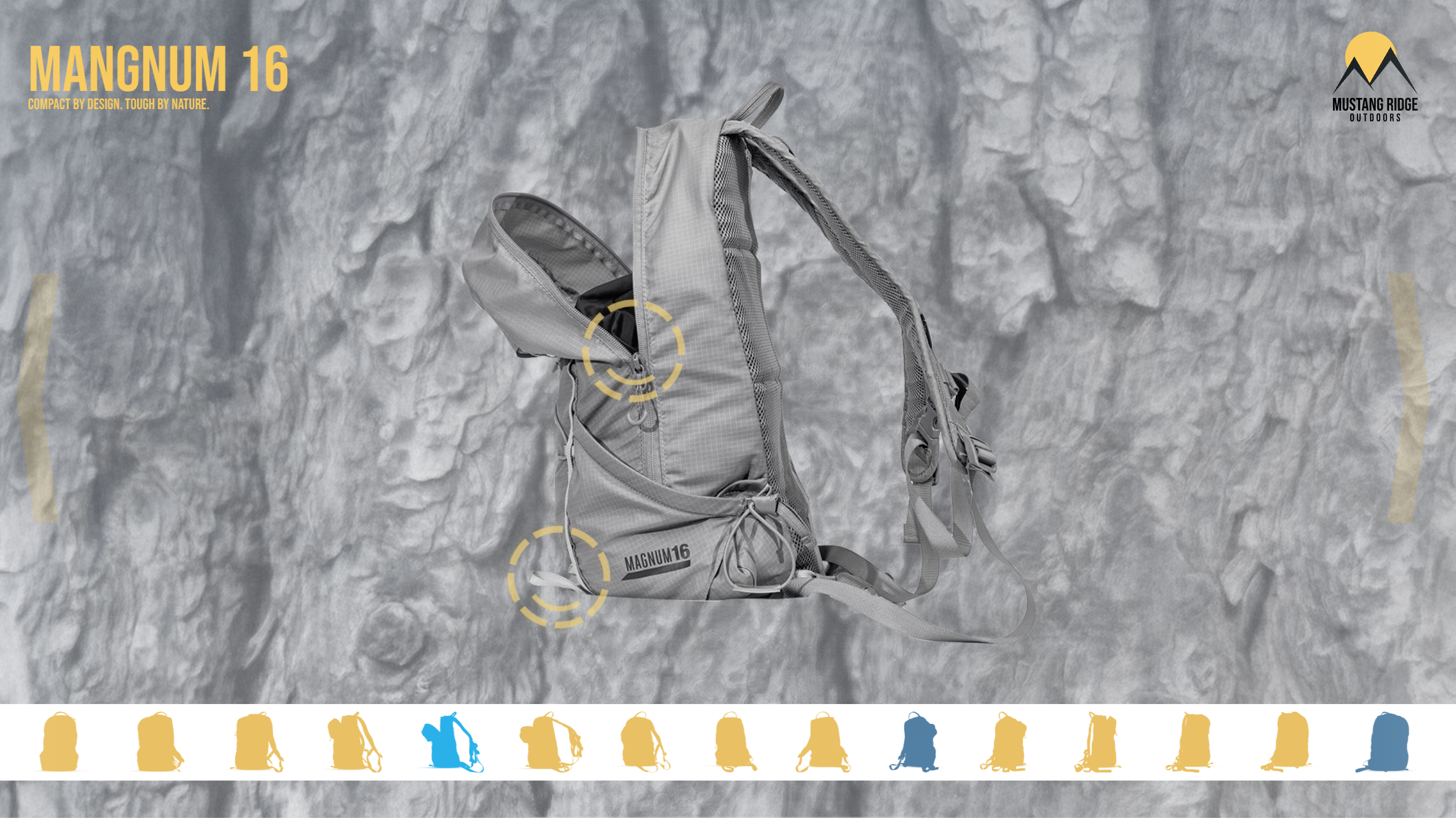
The product on display is the Magnum 16 — "Compact by Design. Tough by Nature." — photographed across 15 angles to simulate a smooth 360° rotation. Left and right bracket arrows guide the user to rotate the bag, and a 15-position navigation strip at the bottom tracks progress through the rotation.

Interaction Flow

  • Idle state — screensaver loops with usage instructions until interaction is detected
  • User activates sensor → virtual cursor appears on screen
  • Left/right arrows rotate the bag through 15 images
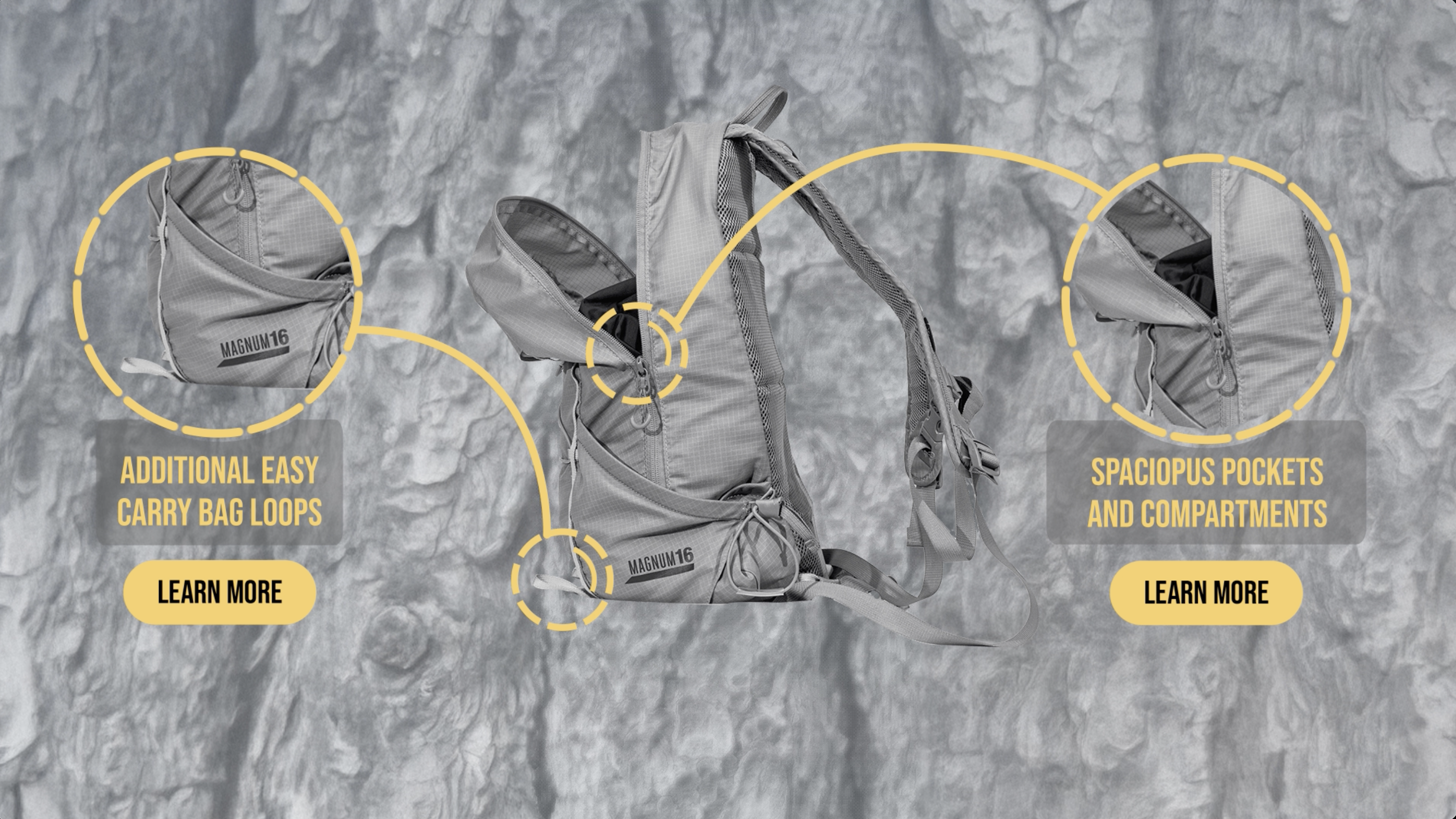
  • Frames 5, 10 and 15 are stop points — animated feature callouts appear around the bag
  • Each stop point highlights 2 bag features with Learn More buttons
  • Triggering Learn More plays a highlight video for that specific feature
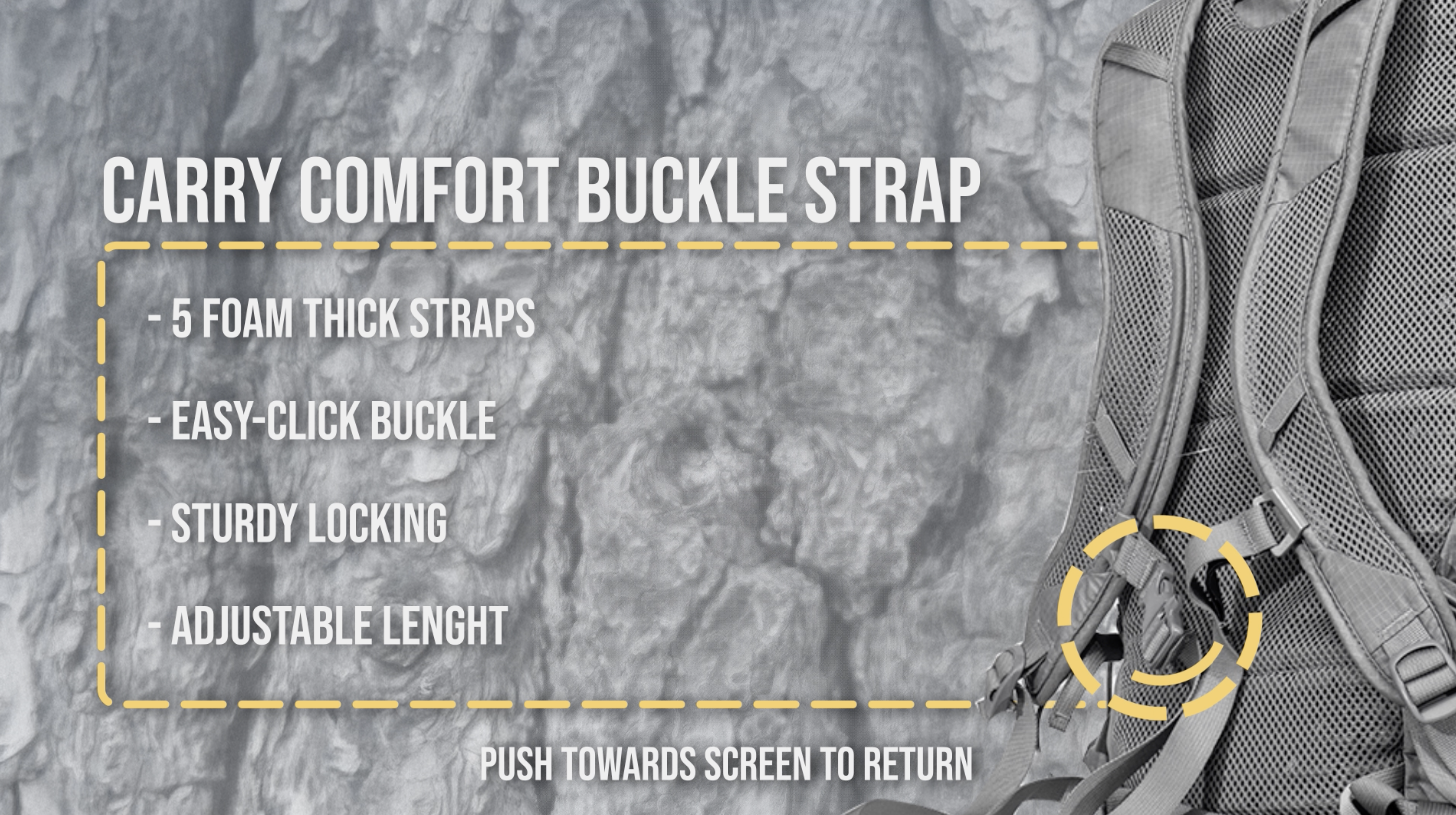
  • Pushing towards screen on highlight video returns to the stop point
  • Inactivity for a set duration triggers a 10-second countdown — then resets to screensaver

Design & Production Work

Every visual element inside the app was designed and animated by me in After Effects. The design language draws from the Mustang Ridge brand — desaturated rocky cliff photography as the background, the warm yellow (#FFC844) for all UI elements, dashed circular callouts to highlight bag features, and bold all-caps typography throughout.

Each of the three stop points required precise hotspot alignment — every button and info element had to land exactly on a sensor-readable coordinate so the push-to-click interaction would register correctly. This meant designing with the interaction grid in mind rather than purely for aesthetics.

In total, 11 videos were produced for this station: 1 screensaver, 3 stop point videos and 6 highlight videos — one per bag feature across the three stop points. Each video was exported and dropped directly into the professor's framework as a content asset.

  • 1 screensaver / idle loop
  • 3 stop point videos (frames 5, 10, 15) — each with 2 animated feature callouts
  • 6 highlight videos — extended feature info with return-to-stop-point prompt
360 App Screensaver

Screensaver — idle state with usage instructions

360 App Stop Point

Stop point 15 — Extra Exterior Compartments & Weather Resistant Outer Material

Highlight Video

Highlight video — Quick Access Design feature breakdown

360 App Navigation

Navigation state — 15-position rotation strip visible during bag rotation

Station Demo

The following video demonstrates the full interaction flow of the 360° Rotating Product App station — from idle screensaver through bag rotation, stop points, and highlight video playback.

Note: The interactive framework was built by our professor. All visual design, photography, and motion content shown is original work.

Component 02 — Interactive Catalogue App

How It Works

The catalogue runs across two side-by-side touchscreens. When idle, both screens loop brand videos — the left plays an instructional "How to Use" video, the right plays a product promotional video. Touching either screen activates the catalogue interface.

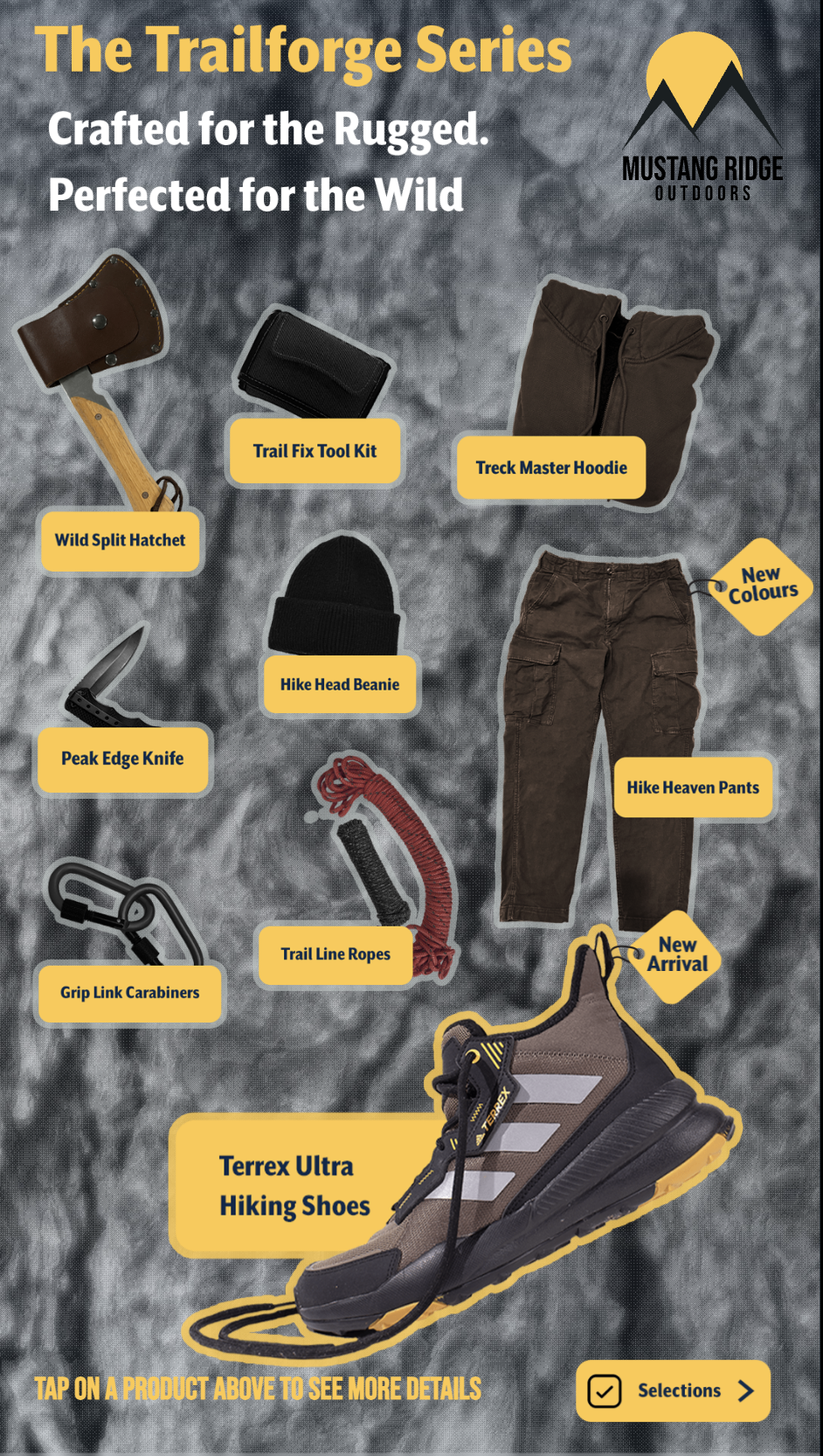
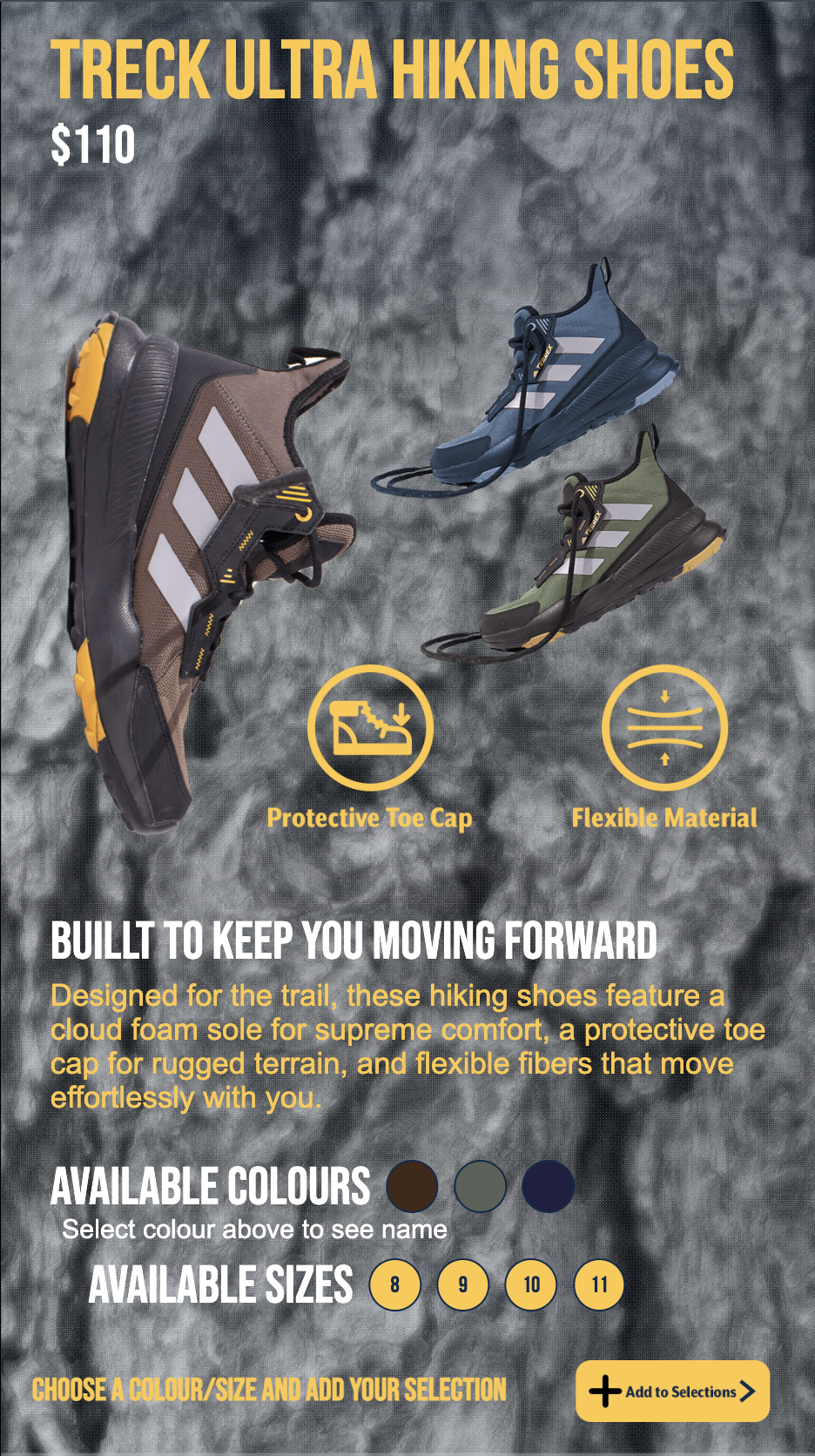
The left screen displays the full Trailforge Series product spread — a fictional product lineup I created for Mustang Ridge Outdoors, including the Wild Split Hatchet, Peak Edge Knife, Grip Link Carabiners, Trail Fix Tool Kit, Hike Head Beanie, Treck Master Hoodie, Hike Heaven Pants, Trail Line Ropes, and the Terrex Ultra Hiking Shoes.

Interaction Flow

  • Idle — both screens loop brand videos until touched
  • Tap a product on the left screen → detail view loads on the right screen
  • Right screen shows product name, price, photography, feature icons, description, colour swatches and size options
  • User selects colour and size, then taps Add to Selections
  • Repeat for additional products — tap Selections button to review cart
  • Checkout screen shows all selected items, specs, subtotal, tax and total
  • User taps Print Selection → physical receipt prints
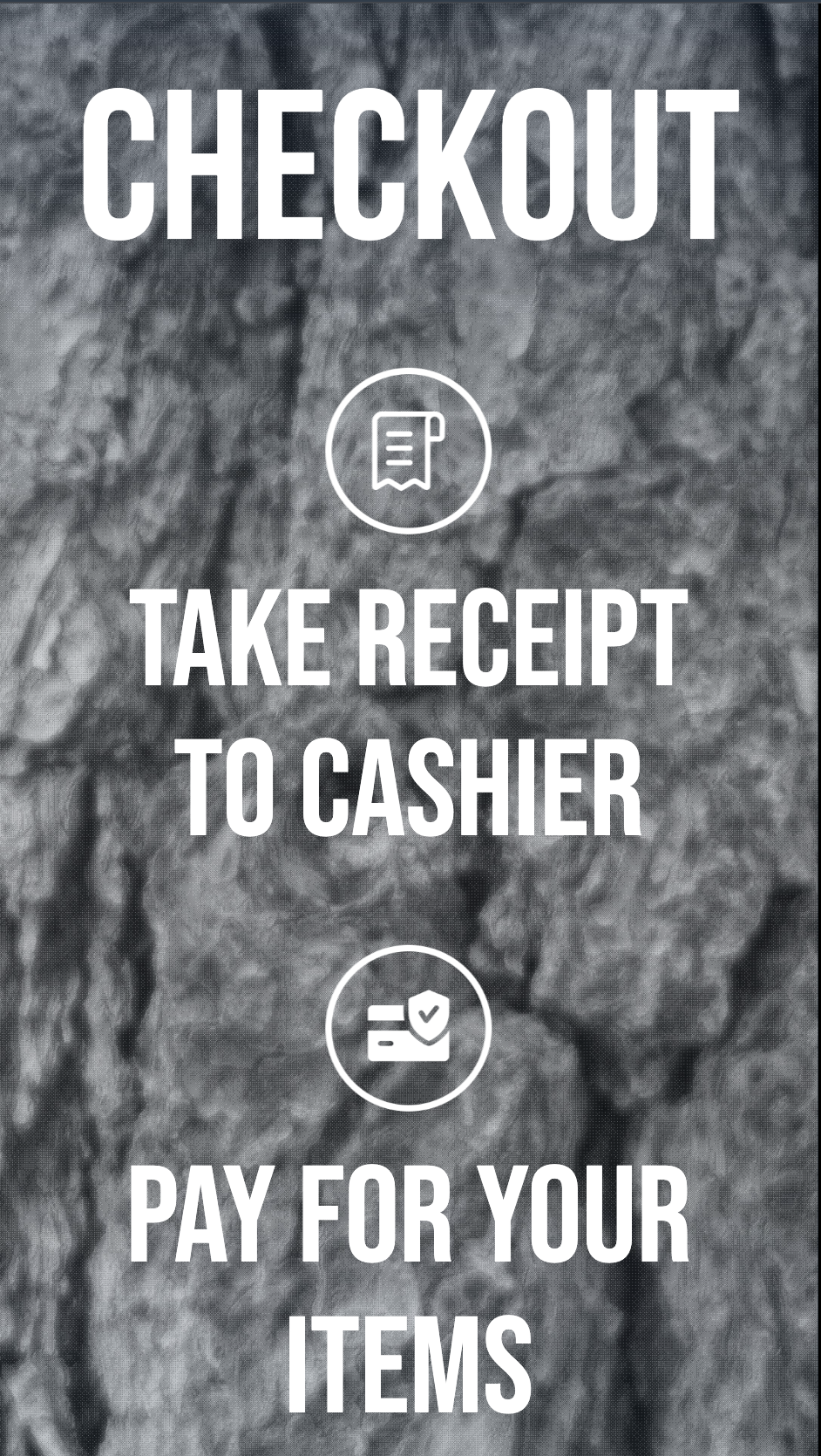
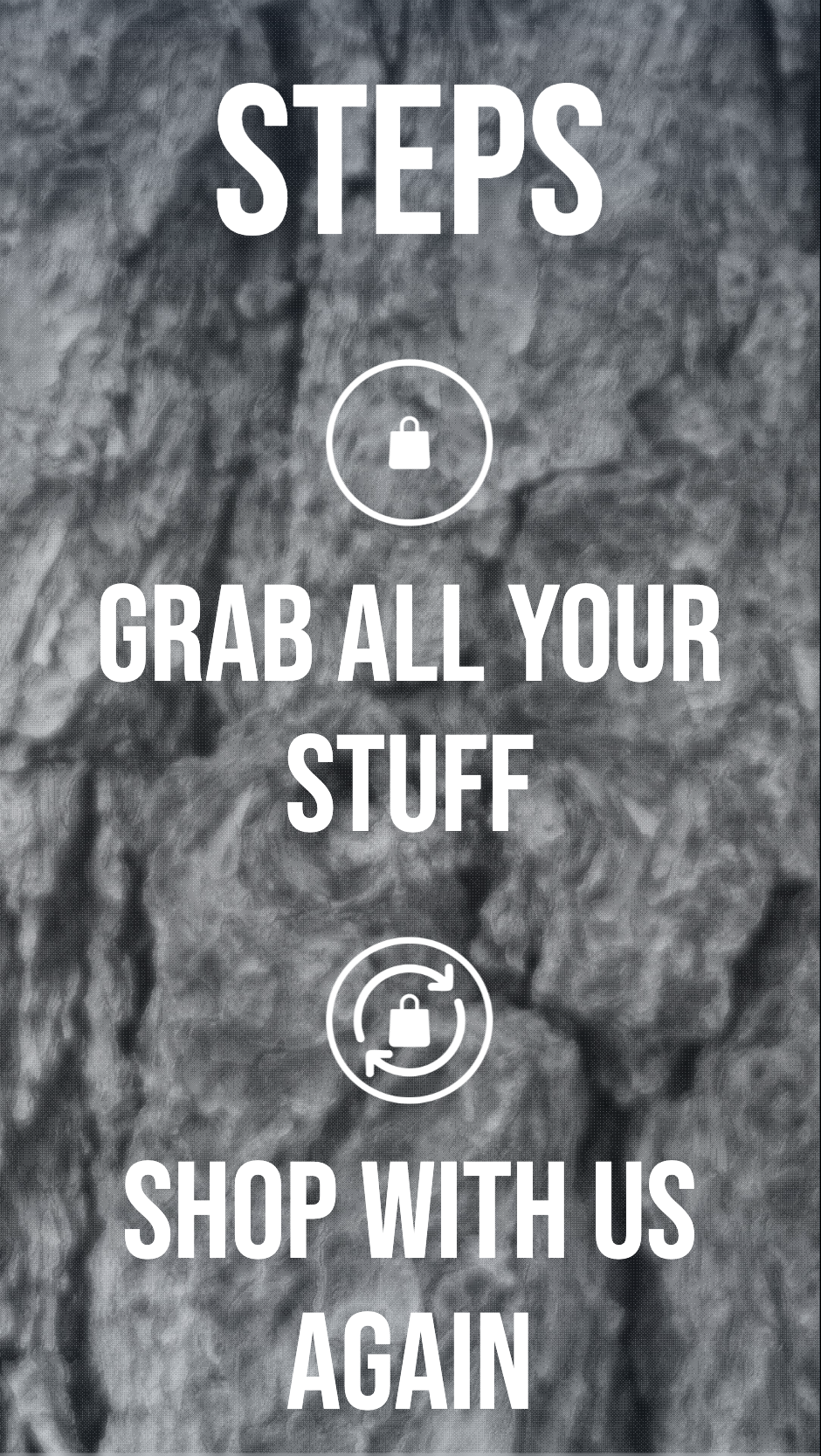
  • Post-print screens guide user: take receipt to cashier → pay → shop again
  • Interface resets to looping videos after receipt prints or on inactivity timeout

Design & Production Work

The entire catalogue UI was designed in Photoshop — every screen, every product page, every state. The design carries the same visual system as the 360 app: rocky cliff background, yellow accent colour, bold white typography. This consistency was intentional — all three stations needed to feel like they belonged to the same installation even though they ran as separate apps.

All product photography was shot by me. The fictional Trailforge Series required sourcing and photographing real objects to stand in as products — each item was cut out and composed into the catalogue layout.

Two looping screensaver videos were produced in After Effects for this station — the instructional "How to Use" video on the left screen and the brand promotional video on the right. Both needed to work as seamless loops that would play indefinitely without feeling repetitive.

The checkout flow — selections list, print confirmation, and the post-receipt guidance screens — was also fully designed, including the "You are not obligated to pay by pressing print" disclaimer to clarify the non-binding nature of the receipt.

Catalogue Product Spread

Left screen — Trailforge Series product spread

Catalogue Product Detail

Right screen — Terrex Ultra Hiking Shoes detail view with colour & size selection

Catalogue Checkout

Checkout screen — selections list with subtotal, tax and total

Catalogue Post-print

Post-print flow — take receipt to cashier, pay and shop again

Station Demo

The following video demonstrates the full interaction flow of the Interactive Catalogue station — from idle screensaver through product browsing, colour and size selection, checkout and receipt printing.

Note: The interactive framework was built by our professor. All visual design, photography, and motion content shown is original work.

Component 03 — Brand Marketing Video Screen

How It Works

The third station is a single screen that plays a looping instructional video. Throughout the video, a QR code remains visible on screen. The user takes out their phone, scans the code, and is redirected to a branded landing page displaying the Mustang Ridge Outdoors logo and three buttons — each one playing a different brand marketing video.

All four videos are hosted on YouTube as unlisted links. A JSON configuration file maps each button to its respective video ID and controls the landing page appearance — background wallpaper, button colours, and logo.

My Contribution

  • Produced all 4 videos — 1 instructional screen video and 3 brand marketing videos
  • The 3 brand marketing videos were a group production — shot collaboratively with 2 classmates, then individually edited by each student to reflect their own brand's design direction
  • Designed the phone background wallpaper for the QR landing page
  • Configured the JSON file — pasted video IDs, set button colours (#FFC844 background, #0B2A4A text) and linked the brand logo and background image
  • Video playback framework and QR redirect logic was provided by the professor

Station Demo

The following video demonstrates the Brand Marketing Video Screen station — showing the instructional screen, QR code scan flow, and brand marketing video playback.

Note: The QR redirect and video playback framework was built by our professor. Video content, landing page design and JSON configuration are original work.

Results & Reflection

What I Built

A fully branded three-station retail installation — from a fictional brand created from scratch to 11 After Effects videos, a complete dual-screen catalogue UI, four brand marketing videos and all supporting photography. Every visual element across all three stations was produced independently and unified under the Mustang Ridge Outdoors identity.
The installation was designed to feel like a real retail environment — not a student project. The gesture interaction on the 360 app, the physical receipt from the catalogue, and the phone-based QR experience on the video screen each offered a different touchpoint that together created a cohesive brand encounter.

If I Did It Again

I would spend more time on user testing the gesture sensitivity for the 360 app — the push-to-click mechanic requires precise hand positioning that first-time users often find unintuitive. Clearer physical signage around the sensor would help bridge that gap before the user even looks at the screen.
For the catalogue, I would explore a single-screen layout as an alternative — the dual-screen setup is visually impressive but requires the user to shift attention between two displays simultaneously, which can be disorienting. A unified screen with a slide-in detail panel might offer a smoother experience.

Back to Projects

View All Projects

Designer.
Developer.
Always Both.

I create digital experiences at the intersection of visual design and front-end craft — interfaces that feel alive, where every animation earns its place and every pixel is intentional.

Currently completing my Interactive Media Design program at Durham College. I work across UI/UX, motion, branding, and interactive web — I don't hand off to developers, I build what I design.

Available for work
Mukul Kankran
HTML
CSS
JavaScript
Figma
Framer
Photoshop
Illustrator
After Effects
Premiere Pro

Let's make
something great.

hello@mukulkankran.com

Have a project, a collaboration idea, or just want to say hello — my inbox is always open. Or use the form.